






About Anomalies: Horror Detective
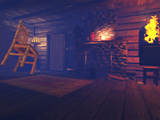
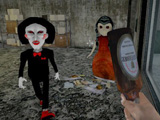
A house inspection turns into a search for ten anomalies. Furniture shifts, objects disappear and reflections reveal things that should not be there. The task is to identify a specific change and report its type, rather than simply decide whether a room feels frightening.
How to Play Anomalies: Horror Detective
Walk through the rooms and note the arrangement of familiar objects. Look for a missing item, an object in a different position or an unexpected figure. Once you identify a change, select the matching anomaly category and submit a report. A wrong category can make the situation worse, so describe what changed before choosing.
Use WASD or the arrow keys to move, the mouse to look around and E to interact. Q provides a hint when you are stuck; P pauses. Continue searching and reporting until you have dealt with the round's ten anomalies.
Comparing a Room With Its Earlier State
Start by noting ordinary reference points: a vase on a table, the position of a lamp and what is visible in a mirror. An empty spot can indicate a missing object; the same item in a different position suggests movement. An unexpected figure in a reflection is a different kind of observation again.
Describe the change to yourself before selecting a report category. That separates what you actually saw from the general atmosphere of the room. A wrong category makes the situation worse, so a quick comparison of the present scene with your earlier reference is more useful than reporting the first unsettling detail without identifying the change.
Hints and the Round Objective
Use Q for a hint when a careful search has stalled and P to pause. The goal is to identify and report ten anomalies in the round. Keep a consistent inspection order after each report so that a changed room can be compared against something specific.
Practical Tips
- Check each room in a consistent order, such as doorway, furniture, then mirrors. This gives you a comparison routine instead of a random scan.
- Report the change you can see. An empty shelf calls for checking which object is missing, rather than guessing where it went.
- Revisit the places you found hardest to remember. Familiarity makes small changes easier to notice.
Frequently Asked Questions
What should I check before sending a report?
Identify the affected object and the kind of change. Noticing a lamp is different from determining whether it moved, vanished or began behaving abnormally.