



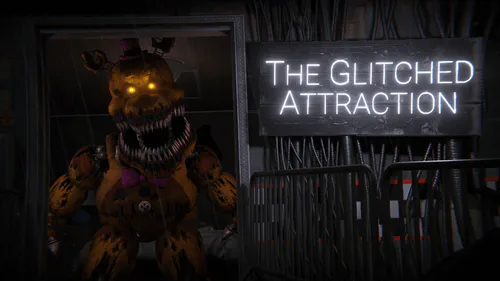

FNAF 3 is Scott Cawthon's point-and-click survival horror game set inside Fazbear's Fright. You play the night guard, tracking Springtrap through security cameras while unreliable equipment and Phantom animatronics interrupt your watch. The objective is to survive until 6 AM by redirecting Springtrap, blocking his vent routes and restoring failed systems.
What Is FNAF 3?
Five Nights at Freddy's 3, released in 2015, takes place thirty years after Freddy Fazbear's Pizza closed. The owners of Fazbear's Fright have collected old props and equipment to turn the restaurant's history into a horror attraction. Their discovery of a damaged animatronic brings Springtrap into the building.
During the night shifts, you stay in the security office. Springtrap is the enemy whose attack ends the attempt. The Phantoms create a different problem: their appearances interfere with surveillance and equipment, giving him time to advance while you recover.
Players returning from the earlier games need a different defensive routine. There are no security doors to shut and no Freddy mask to put on. Your control over Springtrap comes from influencing his route before he reaches the office. The camera map, audio system and vent seals are therefore active defensive tools.
How to Play FNAF 3: Controls and First Steps
The desktop controls centre on the mouse and the two office panels. The camera monitor is on the right; the maintenance panel is on the left. Learn to open and close both, then find the map toggle before the night becomes busy.
| Action | Control | Purpose |
|---|---|---|
| Select a room camera | Click its camera button on the map | Find Springtrap and follow his movement |
| Use an audio lure | Select a room feed, then click Play Audio | Draw Springtrap toward that room |
| View the vent network | Click Toggle Map | Check the passages connecting parts of the building |
| Seal a vent | Double-click its vent camera button | Block the selected passage |
| Repair a system | Open maintenance and select the failed system | Restore the affected equipment |
| Repair all systems | Select Reboot All on the maintenance panel | Restart all three systems together |
Start by connecting the map to the images you see. Identify the office, the rooms leading toward it and the vent links. This gives each camera selection a reason: finding Springtrap, checking a shortcut to the office, or confirming that your last action worked.
Finding Springtrap on the Cameras
Springtrap is not always standing clearly in the middle of a feed. Look for the outline of his damaged rabbit suit and his face among the attraction's props. Once you identify him, remember the camera number and check how that position connects to the office.
When he disappears, begin with the rooms and vents connected to his last location. An empty room does not tell you which exit he used. Searching nearby connections first gives you a more useful starting point than repeatedly cycling through every camera in numerical order.
Keep camera checks brief and purposeful. Ask one question at a time: is he still here, has he entered a vent, or did the lure move him?
Using Audio Lures to Redirect Springtrap
Audio plays in the room selected on the camera map. It attracts Springtrap from an adjacent room, so the destination needs to connect to his current position. Choose a connected room that moves him away from the office, play the sound, then check the result.
For example, if you have just seen him leave a distant room for a connected room closer to you, the room he left is a useful destination to consider. Confirm the connection on the map and watch for his return. Your next move should follow the position you actually see.
A lure does not guarantee a response. If he stays put or moves elsewhere, reassess his location before using it again. Repeated audio use also leads to an audio error, leaving the lure unavailable until the Audio Devices system is rebooted.
Once Springtrap is inside a vent, room audio will not draw him out. Switch to the vent map and address that passage. Recognising this change prevents you from spending the encounter pressing a control that no longer addresses his route.
Vent Seals and Ventilation: Two Different Jobs
Vent passages give Springtrap shortcuts through the building. A room that looks distant from the office can still connect to a dangerous approach, so check its vent connection as well as the normal hallway route.
Use Toggle Map to inspect the vents, then double-click the relevant vent camera to seal the passage. Only one vent can be sealed at a time. Selecting another seal opens the previous one, which makes the choice depend on Springtrap's current route.
The seal and the ventilation system have separate jobs. A seal blocks movement through a passage. Ventilation maintenance keeps the air system functioning and prevents the visual disruption caused by a prolonged failure. Closing a vent is not a repair. After a ventilation reboot, check the vent map again and confirm the seal you need.
Fixing Audio, Camera and Ventilation Errors
The maintenance panel lists Audio Devices, Camera System and Ventilation. Read the error before choosing a reboot, because each failure removes a different part of your defence.
| Failed system | What it disrupts | What to do after the reboot |
|---|---|---|
| Audio Devices | Playing a lure to redirect Springtrap | Confirm his position before choosing a destination |
| Camera System | Seeing the feeds needed to track his route | Search from his last known room and check connected vents |
| Ventilation | Clear vision; a prolonged failure causes blackouts and hallucinations | Recheck his location and the active vent seal |
Treat ventilation failure as urgent when your view starts blacking out. Losing sight of the situation makes every other decision harder. If the camera system is down, restore the information needed to track him; if audio is down, remember that selecting a room alone will not redirect him.
Use a targeted reboot for an isolated fault. Reboot All handles all three systems when they have failed together. Repairs take time, so choose the option that addresses the faults shown and return to surveillance when it finishes.
The repair screen does not pause Springtrap's movement. Before opening it, note his last position and the seal in use. Afterward, rebuild that picture instead of continuing an audio sequence based on an old camera image.
Handling Phantom Animatronics
Phantoms threaten your ability to manage the night. Their appearances differ, so learn the visual cue and response for the character in front of you.
- Phantom Balloon Boy: when his face fills a camera feed, switch promptly to another camera. Continuing to watch him leads to a jumpscare and a ventilation error.
- Phantom Freddy: when he walks outside the office window, bring up the camera monitor or maintenance panel and keep your attention there while he passes.
- Phantom Chica: watch for her face on the arcade cabinet screen in CAM 07. Switch away promptly instead of lingering on that feed.
Use those cues to avoid unnecessary interruptions. After a Phantom attack, check which equipment needs attention, repair it and find Springtrap again. The scare ending does not mean the approach you were watching is still under control.
Learning the Nights and Improving Your Routine
Night 1 gives you time to learn the office before Springtrap becomes active on Night 2. Use that opening shift to practise selecting cameras, changing maps and finding the maintenance commands. Listen to the introductory call: it explains the equipment and why ventilation matters.
On Night 2, focus on connecting a sighting to an action. Locate Springtrap, choose a suitable adjacent room for audio, check the result and account for the vent route. Learning that sequence gives you a routine to return to after an interruption.
As you progress, reduce wasted actions. If a camera check did not change your understanding of his location, consider what you were trying to find. If an audio attempt failed, check the route and system status before repeating it. During the final hour, continue tracking and repairing until the shift ends.
Common Mistakes and How to Correct Them
A failed attempt is easier to learn from when you examine the events before the jumpscare. These patterns give you something specific to change on the next night.
| Pattern to review | Adjustment for the next attempt |
|---|---|
| You kept checking rooms while Springtrap used a vent | Include connected vents in the search when he leaves a room |
| You played audio at a favourite camera without locating him | Find his current room, then choose an adjacent destination |
| You moved the vent seal and forgot the old passage reopened | Review which route the new seal protects before selecting it |
| You finished a repair and repeated the previous lure immediately | Find his new position before committing to the next audio destination |
| You watched a Phantom cue while trying to finish another task | Respond to the visible character first, then resume the task |
Choose one recurring mistake to work on. For example, during your next night shift, track where Springtrap was before the reboot and where you found him afterward. That comparison helps you identify whether you lost his position, overlooked a vent or spent the next action on an outdated lure.
FNAF 3 Frequently Asked Questions
Can you leave the office to escape?
No. During the night shifts, you manage the attraction from the office. Survival depends on monitoring and redirecting Springtrap, sealing vent routes and keeping the equipment working.
Do you need to know the earlier FNAF story to play?
No. The night-shift objective and office controls are understandable on their own. Knowledge of the earlier games adds context to the props, characters and recordings, but the practical task is to manage Springtrap's approach until morning.
Do Phantom jumpscares end the night?
Phantom attacks disrupt the night without directly causing a game over. Springtrap's attack ends the attempt. Continue dealing with equipment faults and his movement after a Phantom scare.
Is there a fixed audio route that guarantees a win?
No. Springtrap's movement, vent choices, interruptions and responses to audio change the situation. Use camera sightings to decide where to lure him and which passage to seal, then adjust when the evidence on screen changes.