
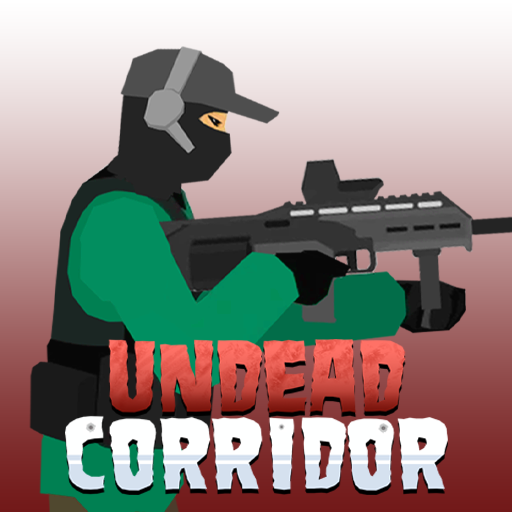








Undead Corridor Overview
Undead Corridor is a fast-paced 2D survival shooter that throws you into the role of a lone survivor fighting off relentless waves of zombies across hospitals, hallways, and urban streets. With no backup and no safe zones, your only option is to keep shooting, keep upgrading, and keep moving.
The game's appeal is rooted in its intensity and momentum. From the first wave, zombies press toward you constantly, and the pressure never lets up. Combat requires more than just clicking to shoot — you need to manage your ammunition, time your reloads strategically, use your kick when enemies close in, and decide when to spend your earnings on a weapon upgrade versus saving for something more powerful. Every decision matters, and the game punishes hesitation.
What distinguishes Undead Corridor from other zombie shooters is its tight feedback loop: kill zombies, earn money, upgrade weapons, survive harder waves. This cycle is simple to understand but endlessly engaging to optimize. New weapon options and stronger zombie types keep the experience from growing stale, and the escalating threat means you're always playing slightly above your comfort zone.
The game is equally at home on desktop and mobile, with responsive touch controls that work well for on-the-go play. Whether you have five minutes or an hour, Undead Corridor delivers satisfying, high-adrenaline gameplay that rewards skill and smart resource management.
Key Details
| Genre: | 2D Survival Shooter |
| Difficulty Level: | Medium to Hard (escalates with waves) |
| Average Play Time: | 10–30 minutes per session |
| Best For: | Players who enjoy action games, wave survival mechanics, and upgrade systems |
How to Play Undead Corridor
Getting Started
- Launch the game in your browser or on your mobile device — no download required.
- Click or tap to shoot zombies as they advance toward you from the sides.
- Press Space (or the equivalent on mobile) to kick zombies that get dangerously close.
- Watch your ammunition counter — when it runs low, press R to reload before you're caught empty.
- After surviving waves and earning money, visit the upgrade shop to buy or improve your weapons before the next wave hits.
Basic Controls
| Control | Action |
|---|---|
| Click / Tap | Shoot |
| Space | Kick zombies |
| R | Reload |
| Q | Switch weapons |
Objective
Survive every zombie wave by killing all enemies before they can reach and overwhelm you. Earn in-game currency from kills and use it to purchase and upgrade weapons between waves. Progress through increasingly difficult levels, adapt your loadout as zombie types grow stronger, and see how long you can hold the corridor.
Undead Corridor Features & Highlights
- Relentless wave-based combat — waves escalate in difficulty and enemy variety, keeping every session intense from start to finish
- Weapon upgrade system — earn money from kills and invest it in a growing arsenal of increasingly powerful weapons
- Multi-environment settings — battle through halls, hospital rooms, and streets, each with its own atmosphere
- Cross-platform play — fully playable on both desktop browsers and mobile devices with no download required
- Quick kick mechanic — the Space-bar kick adds a close-quarters survival option that creates satisfying skill-based moments when zombies close in
Undead Corridor Tips & Strategies
Beginner Tips
- Never let your ammo run to zero mid-wave. Reload during brief lulls between zombie clusters rather than waiting until empty — reloading at the wrong moment can get you killed.
- Use your kick proactively. Don't wait until zombies are already hitting you; kick them back as soon as they enter close range to buy yourself reloading or repositioning time.
- Prioritize close-range zombies first. Shoot the nearest enemies before focusing on those still approaching — letting one zombie reach you while you're focused on distant ones is a common beginner mistake.
Advanced Strategies
- Invest upgrade money in damage early. Early-wave upgrades that increase damage per shot let you clear zombies faster, which reduces pressure and earns money more efficiently for future upgrades.
- Switch weapons situationally with Q. If you carry multiple weapons, switch to a faster-firing gun for dense clusters and a higher-damage weapon for strong single targets or mini-bosses.
- Learn zombie movement speeds by type. Different zombie variants move at different speeds — identifying fast-movers early in a wave and prioritizing them prevents being flanked.
What to Watch Out For
- Being caught mid-reload — always complete reloads before a new wave cluster reaches you; an empty gun at the wrong moment is usually fatal.
- Over-spending on weapons before upgrading — buying a new gun without upgrading its damage or capacity can leave you under-powered; balance new acquisitions with upgrades to existing weapons.
Undead Corridor Elements Explained
Combat & Ammo Management System
Combat in Undead Corridor is built around a cycle of shooting, reloading, and using your kick when enemies breach your perimeter. Each weapon has its own ammunition capacity and reload time, meaning you'll constantly be making micro-decisions about when to reload and when to keep firing. Running out of ammo mid-wave is one of the most dangerous situations in the game — the reload animation leaves you temporarily defenseless. Smart players learn to reload during the brief pauses between zombie clusters rather than waiting until empty. The kick ability (Space) acts as an emergency escape when zombies get too close, pushing them back and buying a critical second or two to finish a reload or switch weapons. Mastering the interplay between shooting, kicking, and reloading is the foundation of high-level play.
Weapon Upgrade System
The upgrade system is where Undead Corridor's strategic depth lives. Every zombie you kill drops in-game currency, which can be spent in the shop between waves. You have two main options: buy new weapons with different properties (higher damage, faster fire rate, different ammo types) or upgrade your existing weapons to make them more powerful and efficient. The choice between buying new versus upgrading existing weapons is the game's central economic decision. New weapons offer variety and situational advantages; upgrades offer reliability and efficiency. As zombie types grow stronger and faster in later waves, having an upgraded, reliable weapon often outperforms an array of underpowered ones. Planning your upgrade path based on the zombie types you're encountering is a mark of experienced players.
Wave & Enemy Escalation System
Undead Corridor uses a wave-based progression system where each cleared wave is followed by a harder one. Enemy counts increase, zombie movement speeds rise, and tougher zombie variants — with more health and more aggressive behavior — begin appearing. The game doesn't telegraph exactly what's coming, so adaptation is key: you'll need to read each wave as it unfolds and adjust your tactics accordingly. Some waves feature heavy-hitting zombie types that require focused, high-damage fire; others send fast swarms that demand rapid, sustained shooting. The escalating enemy system ensures the game never becomes routine — there's always a new threat that pushes your current setup to its limits and encourages further upgrades.
Undead Corridor Frequently Asked Questions
Q: How do I reload my weapon?
A: Press the R key on desktop to reload. On mobile, a reload button will be available on-screen. Try to reload during brief pauses between enemy clusters rather than in the heat of combat.
Q: What should I do if zombies are surrounding me?
A: Use the Space key (or mobile equivalent) to kick nearby zombies back and create distance. Prioritize shooting the closest ones immediately after kicking, and reload only when you have a clear moment.
Q: Is Undead Corridor compatible with mobile devices?
A: Yes — Undead Corridor is fully playable on mobile devices through a web browser. The game includes on-screen touch controls, so no additional setup is needed.
Q: Can I save my progress?
A: Undead Corridor is a session-based browser game. Your in-run progress (currency, weapons, wave number) continues within your session, but closing the browser will typically reset your run. Check the game's interface for any available save or continue options.
Q: How do I unlock stronger weapons?
A: Stronger weapons become available for purchase in the upgrade shop as you accumulate in-game currency from zombie kills. Focus on surviving as many waves as possible and invest consistently in upgrades to access the more powerful options.
Games Like Undead Corridor You Might Enjoy
If you like Undead Corridor, you might also enjoy:
- Call of Duty Zombies Demake - it keeps the undead pressure high with survival combat and tight resource decisions.
- Zombie Area - it keeps the undead pressure high with survival combat and tight resource decisions.
- Zombie Survival 2 - it keeps the undead pressure high with survival combat and tight resource decisions.