



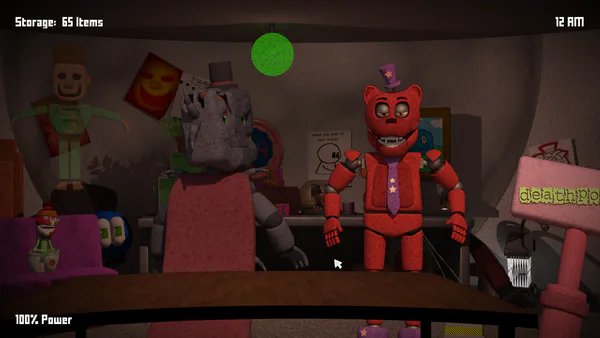




Watch Five Camera Views
5 Nights With Ban Ban: 5 Cameras is an office-survival game in which Ban Ban and other characters move through the building at night. The five camera views help you locate them before they reach the room. Doors can block an approach, but their use draws on the resources needed for the rest of the shift.
Follow an Approach
Switch between the cameras and look for changes in each room. When a character moves, connect that sighting to the entrance it could reach rather than closing a door simply because the character is somewhere on the map. Return to the office view and use the relevant door when the threat is close.
After blocking an approach, check whether the route has cleared and reopen the door. Then resume the camera circuit. Spending too much time on a single view can leave another approach unchecked; using a door without a nearby threat can consume power needed later.
Balance Observation and Defense
The five feeds are most useful when each check has a purpose. Look for the character you last saw moving, inspect the nearby approach and then return to the office controls. If a camera no longer shows a visitor, search the adjoining views rather than assuming the danger has disappeared.
Controls
Use the mouse and left-click to select cameras and operate the available office controls.
Practical Tips
- Learn the layout of the five feeds before the night becomes busy.
- Close a door for a nearby approach, then reopen it after the threat moves away.
- Check another camera after dealing with one visitor.
- Watch your remaining resources throughout the shift.
What Do the Cameras Do?
They show the areas around the office. Use the information to decide when and where a door needs to be closed.