




About FNAF Bartender
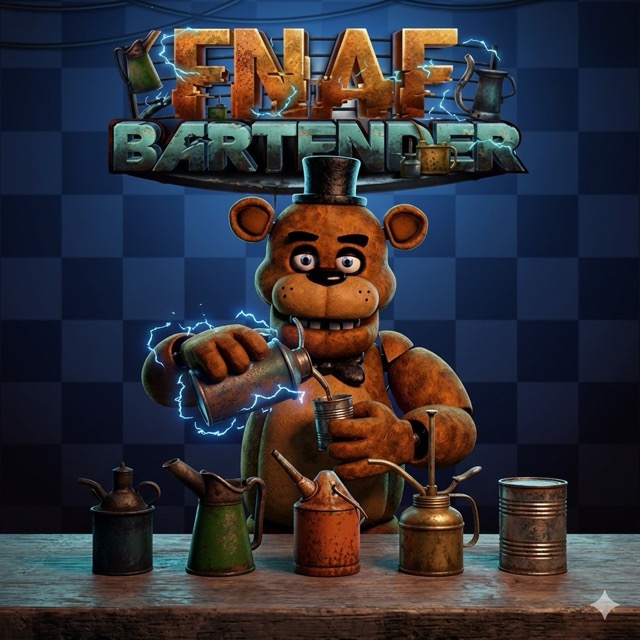
FNAF Bartender puts Freddy behind a counter with a selection of bottles and a shaker. Choose ingredients, mix a drink and watch his reaction when it is served. The game is built around experimenting with combinations and observing what changes from one attempt to the next.
Pour, Shake and Serve
Select a bottle with the mouse and use Pour to add its contents to the shaker. You can choose another ingredient before mixing. Once the combination is ready, use Shake, then press Serve to pour the finished drink and see Freddy's response.
The three buttons perform different steps, so follow the sequence: select and pour, shake the mixture, then serve. If you are testing a particular bottle, keep the rest of the recipe simple so its effect is easier to recognise.
Compare Your Recipes
Try a different mixture after watching the result. Change one ingredient or its proportion while keeping the rest of the recipe familiar; this gives you a clearer comparison than replacing every bottle at once. Some combinations produce more dramatic reactions than others.
There is no need to treat the activity as an office-survival shift. The fun is choosing a recipe, completing the mixing sequence and seeing what Freddy does with the result.
Controls
| Input | Action |
|---|---|
| Mouse | Select bottles and use Pour, Shake and Serve |
Practical Tips
- Pour the selected ingredients before using Shake.
- Change one part of a familiar recipe when comparing results.
- Watch the whole reaction before preparing the next mixture.
Frequently Asked Questions
What do the three buttons do?
Pour adds an ingredient to the shaker, Shake mixes the drink and Serve presents the finished mixture.