Garrys Mod FNAF Overview
What happens when the most open-ended sandbox in gaming meets the most terrifying animatronics in horror? You get to decide.
Garry's Mod FNAF is a mod that brings the full cast and environments of the Five Nights at Freddy's universe into Garry's Mod's boundless 3D sandbox — and then hands you the tools to do whatever you want with them. Spawn Freddy. Build a containment trap. Set up a survival scenario. Stage an elaborate recreation of the original FNAF lore. Fight the animatronics with weapons. Watch them interact with custom maps. The only limit is what you're willing to build.
This is not a traditional horror game. It is a creative platform with horror as its raw material. Players who come looking for a scripted scare sequence will find something stranger and more interesting — a space where the animatronics of the FNAF series become toys in the truest sense, subject to the imagination and ingenuity of whoever is holding the Garry's Mod toolgun. The dread they inspired in their original games is now yours to deploy, subvert, recreate, or entirely reimagine.
Three distinct game modes shape how you engage with the content: Survival mode pits you against the animatronics in a genuine fight for endurance; Action mode emphasizes direct combat and confrontation; Creative mode removes all stakes and gives you full sandbox access to build, experiment, and create. Multiplayer extends every mode — design custom quests, share scenarios, or collaborate on builds with other players through voice and in-game chat.
For fans of both franchises, Garry's Mod FNAF is the crossover that shouldn't work as well as it does — and absolutely does.
Key Details
| Genre | Sandbox / Survival Horror / Action |
| Difficulty Level | Variable (depends on chosen game mode) |
| Average Play Time | Open-ended (15 minutes to several hours) |
| Best For | Garry's Mod players curious about FNAF, FNAF fans who want creative control over the franchise's characters, and sandbox players who enjoy horror-adjacent building and scenario design |
How to Play Garrys Mod FNAF
Getting Started
- Select your game mode — choose between Survival, Action, or Creative before entering the sandbox. Your mode determines the rules, objectives, and stakes of your session. New players should start with Creative to familiarize themselves with the available tools and characters before adding pressure.
- Explore the available FNAF content — browse the characters, maps, and assets brought in by the mod. Spawn individual animatronics to see how they behave and interact with the environment before building any scenarios around them.
- Use the toolgun to build and interact — Garry's Mod's core tool is the toolgun, which lets you manipulate, attach, and configure objects and characters in the 3D environment. Learn its basic functions before attempting complex builds.
- Set objectives or follow mode requirements — in Survival and Action modes, adhere to the specific rules and goals of the selected mode. In Creative, design your own scenario, recreate a FNAF scene, or build a custom mini-game for others to play.
- Engage multiplayer features — join other players' sessions or invite others to yours. Use voice chat or in-game chat to coordinate builds, share custom quests, or run collaborative survival and action scenarios.
Basic Controls
| Input | Action |
|---|---|
| WASD | Move |
| Mouse | Look / aim |
| Left Click | Use tool / fire weapon |
| Right Click | Secondary tool action |
| E | Interact with objects and characters |
| Q | Open spawn menu (characters, props, weapons) |
| C | Open context menu for selected object |
| Tab | Open multiplayer scoreboard / player list |
| Voice Chat / In-game Chat | Communicate with other players |
Objective
The objective in Garry's Mod FNAF is determined entirely by your chosen game mode. In Survival, endure waves or encounters with animatronic threats for as long as possible. In Action, engage and defeat the FNAF cast using available weapons and tools. In Creative, build, design, and experiment freely with no survival pressure — create scenes, mini-games, or custom scenarios using the full roster of FNAF characters and maps.
Garrys Mod FNAF Features & Highlights
- Three distinct game modes — Survival, Action, and Creative each offer a fundamentally different way to engage with the FNAF content, from tense endurance challenges to full sandbox freedom
- Complete FNAF character roster — the mod includes the original cast (Freddy, Bonnie, Chica, Foxy, Golden Freddy) alongside characters from later entries including Springtrap, Circus Baby, Ballora, Ennard, Glitchtrap, and Vanny
- Full Garry's Mod toolset — every sandbox tool available in the base game applies to the FNAF content, enabling scene construction, prop manipulation, custom constraint rigs, and interactive mini-game builds
- Multiplayer and custom quest support — design your own quests for others to experience or participate in community-created scenarios, with voice and in-game chat for real-time coordination
- FNAF maps and environments — authentic environments from the Five Nights at Freddy's series are included alongside the character roster, providing ready-made settings for survival scenarios and creative builds
Garrys Mod FNAF Tips & Strategies
Beginner Tips
- Start in Creative mode before anything else. The Garry's Mod toolset has a learning curve, and the FNAF characters behave in ways that aren't always predictable. Spending time in Creative without survival pressure to experiment with spawning, manipulating, and interacting with the animatronics makes the transition to Survival and Action modes significantly smoother.
- Learn the spawn menu before entering a scenario. Press Q to open the spawn menu and familiarize yourself with where the FNAF characters, maps, and assets are located. Knowing how to quickly access what you need mid-session prevents frustrating interruptions when you're in the middle of a build or a survival run.
- Be aware of Golden Freddy. Unlike the other animatronics, Golden Freddy can appear unexpectedly at any moment and cause the game to crash. This is a documented behavior of the character within the mod — be prepared for the possibility of a sudden session end when he appears and save your work in Creative mode frequently.
Advanced Strategies
- Use constraints and the toolgun to build functional containment systems. In Creative mode, experienced Garry's Mod players can use the weld, rope, and constraint tools to build enclosures, traps, and interactive contraptions that engage with the animatronic characters in complex ways. This is where the mod's creative ceiling becomes apparent.
- Design asymmetric multiplayer scenarios. The most interesting multiplayer sessions in Garry's Mod FNAF tend to involve one player or team setting up a survival scenario in Creative mode, then switching modes to let other players attempt it. This scenario-design-then-play structure extends the replay value considerably.
What to Watch Out For
- Golden Freddy's crash behavior. This is not a bug you can avoid through skill — it is the character's function within the mod. Treat any session where Golden Freddy might appear as a potential unexpected end, and save Creative work regularly rather than relying on a single session to preserve complex builds.
- Mode selection before attempting complex scenarios. The three game modes have meaningfully different rule sets. Starting a session intending to build in Creative but accidentally loading into Survival creates friction that's easily avoided by confirming your mode selection before spawning any characters.
Garrys Mod FNAF Elements Explained
FNAF Character Roster
The mod's character roster spans the full timeline of the Five Nights at Freddy's franchise, bringing together animatronics from the original game through its later entries into a single sandbox environment. Each character carries its own visual identity and behavior set, making the roster both a nostalgia resource for franchise fans and a diverse toolkit for Creative mode scenario builders.
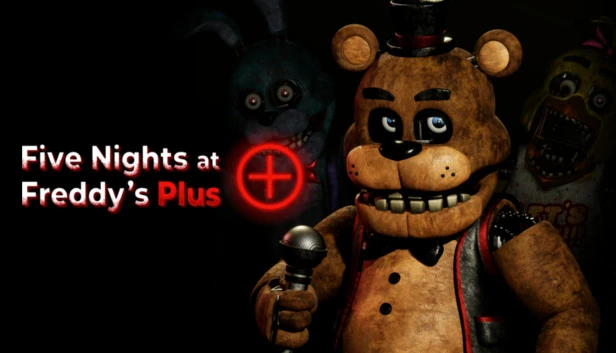
The original four — Freddy Fazbear, the dark brown bear with his red top hat; Bonnie, the blue bunny with electric guitar and red ribbon; Chica, the yellow hen perpetually accompanied by her cupcake; and Foxy, the hook-handed, one-eyed fox — form the recognizable core. Golden Freddy occupies a special category entirely: he can appear at any moment without warning and triggers a game crash, functioning less like a standard character and more like a volatile wildcard.
The extended roster adds Springtrap, Circus Baby, Ballora, Ennard, Glitchtrap, and Vanny from later entries in the series, giving players access to animatronics from across the franchise's lore. In Creative mode, this roster depth enables historically accurate recreations of specific game scenarios as well as completely original crossover situations the source games never depicted.
Game Modes
The three game modes in Garry's Mod FNAF define the fundamental nature of each session and represent meaningfully different experiences rather than difficulty tiers of the same content.
Survival mode is the closest the mod comes to a traditional FNAF experience — players must endure encounters with animatronic threats, managing their resources, position, and responses to stay alive as long as possible. The pressure is real and the animatronics are genuinely dangerous in this mode.
Action mode shifts the dynamic toward direct engagement. Players have access to weapons and tools to combat and eliminate the animatronic cast, turning the horror figures of the source material into opponents to be actively defeated rather than avoided. This mode is considerably more aggressive and less evasion-focused than Survival.
Creative mode removes all survival stakes and opens full sandbox access. Players can spawn any character or asset from the FNAF roster, build elaborate scenes and contraptions using Garry's Mod's full toolset, design custom mini-games, or recreate moments from the source material. Creative mode has no failure state — it is a pure creation environment.
Multiplayer & Custom Quest System
Multiplayer transforms Garry's Mod FNAF from a solo sandbox into a collaborative or competitive platform, with the custom quest system providing the structural framework for shared play. Players can design their own quests — survival scenarios, puzzle challenges, or creative objectives — and share them with others to attempt, or participate in scenarios built by the community.
Voice chat and in-game chat support real-time coordination during multiplayer sessions, enabling the kind of collaborative building and scenario running that defines the best Garry's Mod experiences. A team building a complex FNAF survival map in Creative mode before running other players through it is a fundamentally different experience from solo play, and one the mod is specifically designed to support.
Custom quests also extend the game's longevity considerably. The base content — characters, maps, and three modes — has a natural ceiling; the community-created quest ecosystem around it does not. Players willing to engage with both creating and playing custom content will find the mod's depth significantly exceeds what the official content alone provides.
Garrys Mod FNAF Frequently Asked Questions
Q: How do I spawn FNAF characters in the game?
A: Press Q to open the spawn menu, then navigate to the FNAF section of the available content. Click on any character to spawn them into the current environment. In Creative mode, you can spawn multiple characters simultaneously and arrange them freely. In Survival and Action modes, character spawning is governed by the mode's specific rules.
Q: What should I do if Golden Freddy crashes my game?
A: Golden Freddy's crash behavior is a feature of how the character functions within the mod, not a technical error you can fix through settings adjustments. The best mitigation is frequent saving in Creative mode — use Garry's Mod's save function regularly so that a Golden Freddy crash doesn't erase significant build progress. In Survival and Action modes, treat a Golden Freddy crash as an abrupt but expected end to the session and restart.
Q: Is this game compatible with all browsers and devices?
A: Garry's Mod FNAF is a PC-based mod requiring a base installation of Garry's Mod, which runs on Windows, macOS, and Linux through Steam. It is not a browser-based game and cannot be played on mobile devices or consoles. Ensure your system meets the base Garry's Mod hardware requirements and that the mod is correctly installed before attempting to run it.
Q: Can I save my Creative mode builds between sessions?
A: Yes — Garry's Mod includes a save system that preserves Creative mode constructions between sessions. Use the in-game save function regularly during complex builds, particularly given the possibility of unexpected session ends from Golden Freddy. Saved files can be loaded in subsequent sessions to continue work from where you left off.
Q: How do I join or create a multiplayer session with custom quests?
A: Access the multiplayer menu from the main screen to browse available sessions or host your own. To create a custom quest, build your scenario in Creative mode, then configure it for other players to access through the quest sharing system. Use in-game chat (T for text chat) or voice chat during active sessions to coordinate with other players. Community-created quests can also be browsed and downloaded through the Garry's Mod Steam Workshop if shared there by their creators.
Games Like Garrys Mod FNAF You Might Enjoy
If you like Garrys Mod FNAF, you might also enjoy:
- FNAF 6 - it keeps the animatronic pressure, camera checks, and night-shift tension close to the same survival rhythm.
- FNAF 6 Plus - it keeps the animatronic pressure, camera checks, and night-shift tension close to the same survival rhythm.