





About FNAF 6 Plus
FNAF 6 Plus asks you to survive until 6 a.m. while threats approach from two directions. Animatronics use the vents ahead, while Freddy requires attention behind the guard. The camera system helps you track them, but each approach has its own defence.
Watch the Vents
Monitor the cameras for movement toward the ventilation system. When an animatronic comes close, turn toward that vent and shine the light to scare it back. Identify the side of the approach before responding so that the light is directed where it is needed.
After handling a vent threat, return to the monitor. The camera check is useful for learning what moved while your attention was on the entrance; a single successful response does not finish the shift.
Check Freddy Behind You
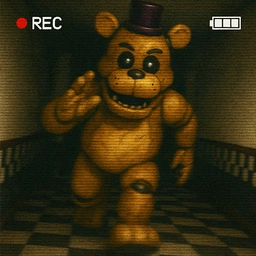
Freddy's approach calls for a different action. Follow him on the cameras, turn behind the guard and press the electric-shock button when the rear threat requires it. Then look back toward the vents, since those approaches continue to need attention.
A useful routine alternates between the cameras, the vent light and the rear shock control. Learn where each interaction is before the room becomes busy, and keep the two defences associated with the threats they address.
Practical Tips
- Identify the approaching vent before turning on the light.
- Remember that Freddy's shock button is behind the guard.
- Check the direction you could not watch after completing a defence.
Frequently Asked Questions
Which defence is used against Freddy behind the guard?
Turn around and press the electric-shock button. Vent visitors are handled with the light.