
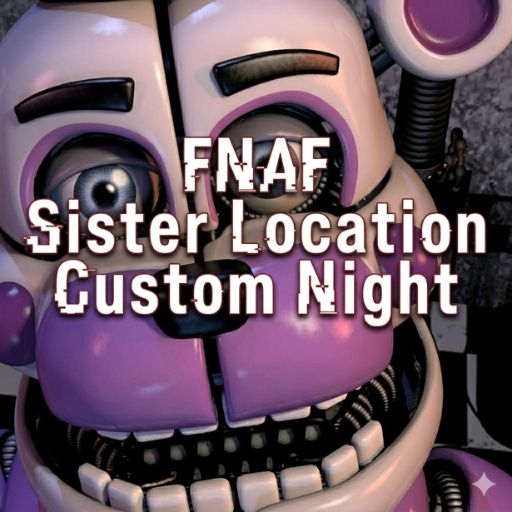

FNAF Sister Location: Custom Night Overview
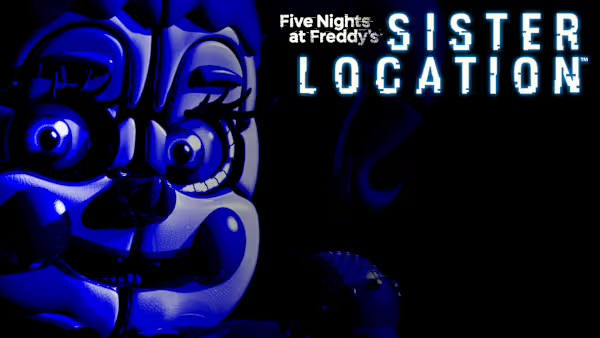
FNAF Sister Location: Custom Night takes the tension of Five Nights at Freddy's: Sister Location and hands the controls directly to you. Rather than working through a fixed sequence of nights with predetermined difficulty, this spin-off lets you build your own survival scenario from the ground up — choosing which animatronics appear, how aggressive each one behaves, and how brutal you want the challenge to be.
This level of customization is what defines the experience. Whether you want a manageable introduction to Sister Location's mechanics, a balanced mid-difficulty test, or a maxed-out gauntlet that pushes every system to its limit simultaneously, Custom Night accommodates it all. Every configuration creates a meaningfully different run, which gives the game exceptional replay value for players who want to keep pushing their own limits.
The underlying gameplay stays true to the franchise's roots — you're stationed in a security office, monitoring camera feeds, managing vents and pathways, and keeping a careful eye on electricity and oxygen levels as threats close in from multiple directions. What changes is the pressure: with up to 20 difficulty levels per animatronic and the ability to run the full roster at once, the chaos ceiling is extraordinarily high.
Familiar faces from Sister Location — Foxy, Ballora, Bonnet, Minireena, and others — each come with distinct behavioral patterns that demand specific countermeasures. No single strategy works against all of them, which means the most demanding custom configurations require you to manage several conflicting defensive priorities at once. For players who love the FNAF formula and want to truly stress-test their skills, Custom Night is the ultimate arena.
Key Details
| | | |---|---| | Genre | Survival Horror / Strategy | | Difficulty Level | Fully customizable — 0 to 20 per animatronic | | Average Play Time | 10–20 minutes per night | | Best For | FNAF veterans, challenge seekers, players who enjoy deep customization and replayability |
How to Play FNAF Sister Location: Custom Night
Getting Started
1. Open the Custom Night menu and select which animatronics will appear in your session. 2. Set each animatronic's difficulty level from 0 (inactive) to 20 (maximum aggression) based on your desired challenge. 3. Optionally disable warning icons for a harder, cleaner experience with fewer visual safety nets. 4. Once your configuration is set, begin the night and take your position in the security office. 5. Monitor camera feeds, manage vents and pathways, and track resource levels to survive until morning.
Basic Controls
- Mouse Movement — Look around and navigate the office environment
- Click Controls — Manage doors, vent locks, and security systems
- Bottom Button / Camera Toggle — Access and switch between camera feeds
Objective
Survive the night by tracking animatronic positions through camera feeds and deploying the right defensive responses before threats reach the office. Manage your electricity and oxygen carefully — running either resource dry is as fatal as a direct animatronic attack. Successfully lasting until morning completes the night and logs your custom configuration as a cleared challenge.
FNAF Sister Location: Custom Night Features & Highlights
- Full animatronic roster customization — Choose exactly which Sister Location characters appear and set each one's aggression from 0 to 20
- Difficulty scaling per enemy — Individual difficulty controls mean you can create infinitely varied challenge configurations rather than selecting a single blanket setting
- Distinct animatronic behaviors — Each character uses unique attack patterns and approaches, requiring different defensive strategies and preventing a one-size-fits-all response
- Resource management pressure — Electricity and oxygen levels add a time-sensitive layer of tension beyond simple animatronic avoidance
- Warning icon toggle — Disable on-screen alerts for a stripped-back, high-difficulty experience that removes safety net indicators
FNAF Sister Location: Custom Night Tips & Strategies
Beginner Tips
- Start with one or two animatronics set to low difficulty (3–5) before adding more characters or increasing aggression — learning each enemy's individual behavior in isolation is far more efficient than getting overwhelmed by a full roster immediately.
- Prioritize understanding your camera system before your first high-difficulty run; knowing which feeds cover which threats determines how fast you can identify and respond to incoming danger.
- Watch your electricity level constantly in early sessions — new players tend to over-use doors and vents, draining power faster than necessary.
Advanced Strategies
- For high-difficulty configurations, assign mental priority tiers to your animatronics based on how quickly they can reach the office from their starting positions. Respond to the fastest threats first, even if slower ones are more visually prominent on camera.
- Learn the specific audio and visual cues that signal each animatronic is about to move — experienced players react to cues rather than confirmed positions, buying critical extra seconds.
- In extreme custom configurations (multiple animatronics at 15–20), accept that resource conservation becomes as important as active defense. Every unnecessary camera check and door closure drains electricity you may desperately need later.
What to Watch Out For
- Neglecting oxygen levels — Players focused on animatronic threats often let oxygen drain unnoticed. Build a habit of checking it as part of your regular monitoring rotation, not as an afterthought.
- Fixating on one camera feed — Watching one threat too closely creates blind spots elsewhere. Rotate your camera checks on a rhythm, even when a specific animatronic seems to be the primary concern.
FNAF Sister Location: Custom Night Elements Explained
Custom Night Configuration System
The configuration menu is where every run begins and where the game's replay value lives. Each animatronic in the Sister Location roster can be independently toggled on or off and assigned a difficulty level from 0 to 20. Setting an animatronic to 0 removes them from the night entirely; pushing them to 20 makes them as aggressive and responsive as the game allows. This granular control means the difficulty curve is entirely in your hands — you can create beginner configurations, targeted skill-building sessions that stress one specific animatronic, or complete maximum-difficulty gauntlets where everything runs at full aggression simultaneously. The optional warning icon toggle adds a further layer of self-imposed challenge for players who want fewer visual assists.
Animatronic Behavior System
Each Sister Location animatronic in Custom Night operates according to a unique behavioral pattern that demands a specific defensive response. Foxy requires active camera monitoring to slow his advance; Ballora responds to sound cues; Bonnet moves through predictable pathways that can be blocked; Minireena operates in swarms that require a different kind of attention than single-character threats. Running multiple animatronics simultaneously means managing several conflicting behavioral patterns in parallel — what keeps one threat at bay may create an opening for another. Understanding these individual systems is the foundation of high-difficulty survival. Players who treat all animatronics as interchangeable threats consistently struggle; those who learn the specific logic of each character develop a meaningful defensive advantage.
Resource Management (Electricity & Oxygen)
Surviving the night in Sister Location Custom Night isn't only about reacting to animatronic threats — it requires active management of two depletable resources. Electricity powers your defensive systems: doors, vent locks, and camera access. Overusing any of these drains power faster, and a dead power system leaves you defenseless regardless of your threat awareness. Oxygen is a secondary pressure layer — it depletes gradually and must be monitored alongside everything else. In low-difficulty configurations, resource management is a background concern. In high-difficulty runs, it becomes a central strategic challenge: every defensive action is a resource trade-off, and surviving until morning requires constant evaluation of whether the threat you're responding to justifies the power cost of your response.
FNAF Sister Location: Custom Night Frequently Asked Questions
Q: How do I set up a custom animatronic configuration?
A: Access the Custom Night menu before starting a session. Each animatronic in the Sister Location roster is listed individually — click or toggle each one to include them in your night, then use the difficulty slider to set their aggression level from 0 (off) to 20 (maximum). Confirm your setup and begin the night when ready.
Q: What should I do if my electricity runs out mid-night?
A: A depleted power supply disables your defensive systems and makes surviving extremely difficult. If you reach zero electricity, focus on any passive survival options still available and learn from the run — the primary lesson is identifying which defensive actions were draining power unnecessarily. Reducing door and vent usage frequency in future runs is usually the fastest fix.
Q: Is FNAF Sister Location Custom Night compatible with standard web browsers?
A: The game is designed for modern desktop browsers. For best performance, use an updated browser with hardware acceleration enabled and close other resource-heavy applications or tabs during play.
Q: Can I save custom configurations between sessions?
A: Custom configurations are session-based and will need to be set again at the start of each play session. Keep a note of particularly enjoyable or challenging configurations so you can recreate them quickly.
Q: How do I unlock the full animatronic roster?
A: All animatronics are available in the Custom Night menu from the start — no unlocks are required. Every character, including Foxy, Ballora, Bonnet, and Minireena, can be added to your configuration immediately, at any difficulty level you choose.
Games Like FNAF Sister Location: Custom Night You Might Enjoy
If you like FNAF Sister Location: Custom Night, you might also enjoy:
- Five Nights at Freddy's: Sister Location - it shares the same animatronic pressure, survival timing, and quick browser play rhythm.
- FNAF Shooter - it shares the same animatronic pressure, survival timing, and quick browser play rhythm.
- FNAF Strike - it shares the same animatronic pressure, survival timing, and quick browser play rhythm.