






Horde Zombie War Overview
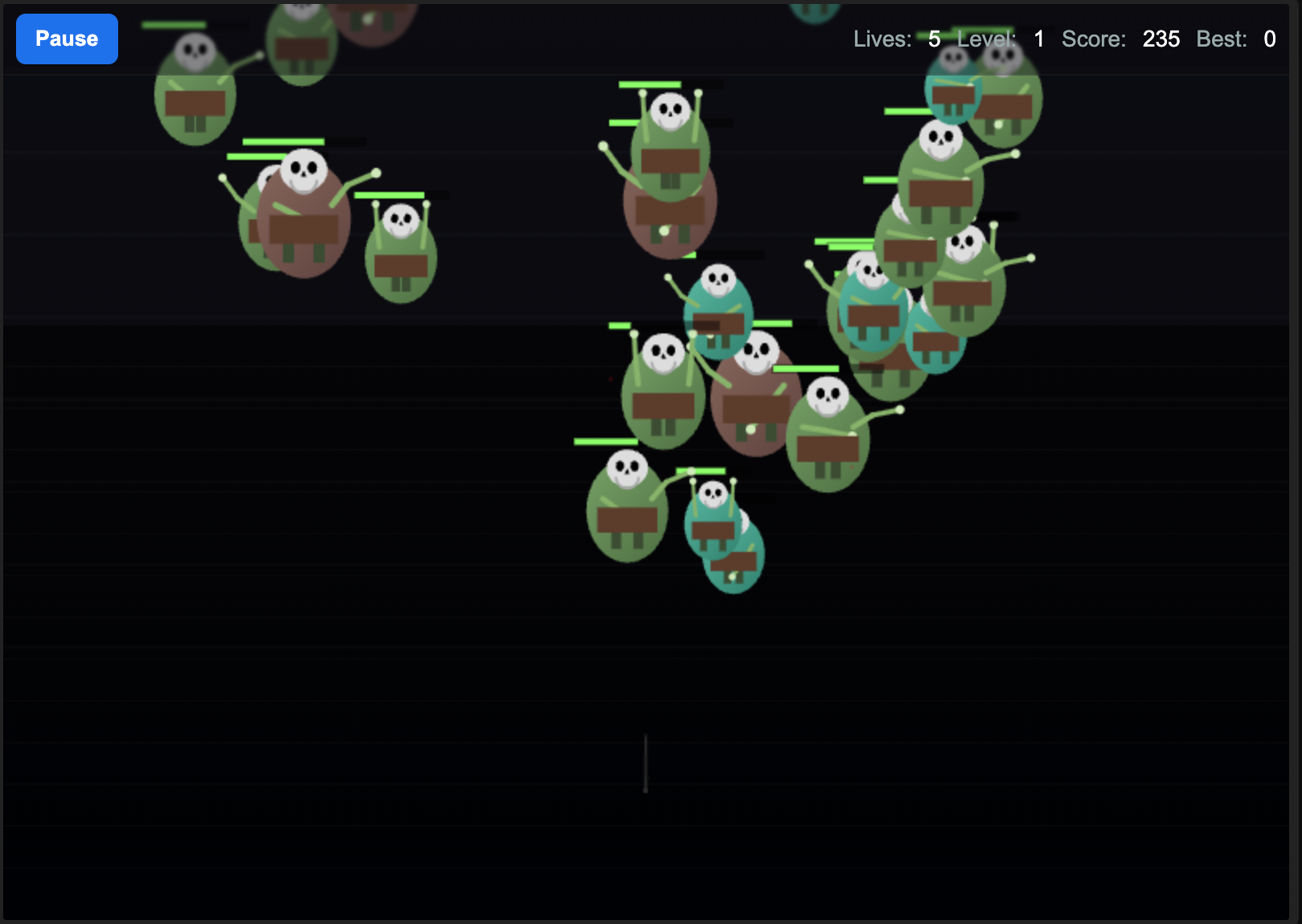
Horde Zombie War is a fast, relentless browser-based zombie survival shooter that strips the genre down to its most intense elements and keeps the pressure at maximum from the first wave to the last. Zombie hordes advance on you in escalating waves, and your only job is to shoot, survive, and keep shooting — picking up weapons and ammunition along the way to stay ahead of enemies that grow bigger, faster, and more numerous the longer you last.
The game's defining quality is its pace. Horde Zombie War doesn't give you time to breathe, plan extensively, or settle into a comfortable rhythm. The action is constant: moving to avoid being boxed in, aiming and firing to thin the horde, scooping up dropped loot without stopping, and managing the upgrade cycle in between waves. It's a game that rewards reactive decision-making, smooth movement, and efficient shooting as much as any strategic planning.
What keeps Horde Zombie War from feeling repetitive is the escalating enemy system. Zombies that grow progressively stronger and more numerous demand that players continuously adapt their weapon choices and upgrade priorities. A weapon that works in wave five won't cut it in wave fifteen, and recognizing when to invest in upgrades versus new weapons is a key skill.
The game is equally at home on desktop and mobile, with touch controls that handle the swipe-to-move, tap-to-shoot mechanic smoothly. Whether you've got five minutes or an hour, Horde Zombie War delivers immediate, high-energy survival action that's easy to start and hard to put down.
Key Details
| Genre: | Zombie Survival Shooter |
| Difficulty Level: | Medium to Hard (escalates with waves) |
| Average Play Time: | 10–30 minutes per run |
| Best For: | Players who enjoy fast-paced action shooters, wave survival, and loot-driven upgrade loops |
How to Play Horde Zombie War
Getting Started
- Launch the game in your browser or on your mobile device — no download required.
- Use WASD or the arrow keys to move your character around the map.
- Move the mouse to aim at incoming zombies and click the left mouse button to fire.
- Collect weapons and ammunition dropped by defeated zombies during combat.
- Upgrade your weapons or skills between waves using points earned from kills.
Basic Controls
| Control | Action |
|---|---|
| W / A / S / D or Arrow Keys | Move character |
| Mouse Movement | Aim |
| Left Mouse Button | Shoot |
| Touchscreen (mobile) | Touch and drag to move; tap to aim and shoot |
Objective
Survive as many waves of zombie attacks as possible, earning points from kills and collecting dropped weapons and ammunition to stay combat-effective. Upgrade your arsenal and skills as zombies grow stronger, and see how long you can hold off the horde before being overwhelmed.
Horde Zombie War Features & Highlights
- High-intensity wave survival — relentless zombie waves with no extended downtime keep the action at a sustained high pitch throughout every run
- Drop-based weapon and ammo system — defeated zombies drop weapons and ammunition mid-fight, creating a dynamic loot loop that rewards aggressive play
- Escalating enemy strength — zombies grow progressively larger, faster, and more durable, demanding continuous weapon and skill upgrades to keep pace
- Dual-platform compatibility — fully playable on desktop with keyboard and mouse or on mobile touchscreens with no download required
- Fast, replayable run structure — each run is self-contained and short enough to immediately restart, creating a natural one-more-run loop
Horde Zombie War Tips & Strategies
Beginner Tips
- Never stand still. Horde Zombie War is a game of constant motion. Stopping to aim carefully is a luxury that becomes impossible as waves grow — develop the habit of moving and shooting simultaneously from the start.
- Collect dropped weapons and ammo mid-wave, not after. Loot disappears if left too long, and waiting until a wave ends to collect puts you at risk of running dry mid-fight. Scoop drops when the path is momentarily clear.
- Upgrade before you need to, not after you're struggling. Spending upgrade points proactively — between waves when you're comfortable — keeps you ahead of the difficulty curve rather than scrambling to catch up.
Advanced Strategies
- Identify which zombie types are most dangerous and target them first. Larger, more durable enemies become priority targets as waves escalate — letting them reach you while you handle smaller zombies leads to being overwhelmed quickly.
- Use circular movement patterns to avoid encirclement. Moving in a consistent orbit around the edges of the play area keeps zombies chasing from behind rather than surrounding from all sides.
- Invest upgrade points in damage before fire rate. Higher damage per shot reduces the number of shots needed to drop each zombie, which conserves ammunition and reduces exposure time during engagement.
What to Watch Out For
- Ammo running dry mid-wave — relying on dropped ammunition without tracking your current count is a common run-ender. Know how much you have and prioritize loot accordingly.
- Ignoring upgrades to focus on survival — skipping upgrade cycles to stay in motion feels safe but leaves you underpowered in later waves where under-upgraded weapons struggle to keep pace with zombie durability.
Horde Zombie War Elements Explained
Drop-Based Loot System
Horde Zombie War's loot system is built into the combat itself rather than separated into a between-wave shop. As zombies are eliminated, they drop weapons, ammunition, and other items directly onto the battlefield. This mid-combat loot mechanic creates a dynamic and engaging economic layer: you're simultaneously trying to eliminate threats and collect the resources those threats drop, and both objectives happen in the same dangerous space. Skilled players learn to route their movement through drop locations without breaking their combat effectiveness — scooping loot while maintaining safe distance from the remaining horde. The variety of weapons that can drop creates run-to-run variation in your available arsenal, and occasionally finding a significantly more powerful weapon mid-wave can dramatically shift the trajectory of a run.
Escalating Enemy System
The zombie escalation in Horde Zombie War is the engine that drives the game's difficulty curve. With each wave, enemies don't just increase in number — they grow more individually formidable. Later-wave zombies have more health, move faster, and are more aggressive in their pursuit. This escalation means that weapons and skills effective in early waves become insufficient by mid-game, creating continuous pressure to upgrade and adapt. The game is designed so that players who upgrade consistently stay just ahead of the escalation curve, while those who neglect upgrades find themselves fighting zombies their weapons can't handle efficiently. Recognizing the escalation threshold — the point at which your current setup starts struggling — and upgrading before that point rather than after is the pacing skill that defines experienced Horde Zombie War players.
Weapon Upgrade & Skill System
Between waves, points earned from zombie kills can be invested in upgrading weapons or improving player skills. Weapon upgrades typically improve damage, fire rate, capacity, or range — each addressing a different aspect of combat effectiveness. Skill upgrades may improve movement speed, health capacity, or other survival-oriented attributes. The upgrade system requires prioritization: you rarely have enough points to upgrade everything simultaneously, so each upgrade cycle demands a decision about which improvement will have the highest impact on your next wave's survival. Players who invest thoughtfully — upgrading damage to kill faster, or movement speed to escape encirclement — consistently outperform those who spend points on whichever option is cheapest or most immediately available without strategic consideration.
Horde Zombie War Frequently Asked Questions
Q: How do I collect weapons from zombies?
A: Move your character over the items dropped by eliminated zombies to pick them up automatically. Try to collect drops as you move through the battlefield rather than making dedicated detours — the time cost of chasing drops across the map is often not worth the temporary exposure.
Q: What should I do when I'm running out of ammunition?
A: Prioritize collecting ammo drops from recently eliminated zombies and, if available, use upgrade points to increase your weapon's ammunition capacity. In the short term, switch to any secondary weapon you're carrying to buy time until more ammo drops become available.
Q: Is Horde Zombie War compatible with mobile devices?
A: Yes — Horde Zombie War is fully playable on mobile touchscreens. Touch and drag to move your character, and tap the screen to aim and shoot. No download is required; the game runs entirely in your mobile browser.
Q: Can I save my progress?
A: Horde Zombie War is a run-based survival game. Each session is self-contained, and runs restart from wave one when they end. Check the game interface for any high-score tracking or leaderboard functionality that records your best performance across sessions.
Q: How do I deal with zombies that won't go down quickly?
A: Larger, more durable zombies in later waves require prioritized weapon upgrades to handle efficiently. If your current weapon struggles against tougher enemies, invest in damage upgrades immediately and focus fire on these high-durability targets before clearing smaller zombies — letting them reach you while you fight fodder is the primary cause of late-wave failures.
Games Like Horde Zombie War You Might Enjoy
If you like Horde Zombie War, you might also enjoy:
- Call of Duty Zombies Demake - it keeps the undead pressure high with survival combat and tight resource decisions.
- Zombie Area - it keeps the undead pressure high with survival combat and tight resource decisions.
- Zombie Survival 2 - it keeps the undead pressure high with survival combat and tight resource decisions.