
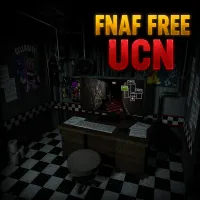





FNAF Free UCN Overview
FNAF Free UCN is the ultimate expression of player-controlled difficulty in the Five Nights at Freddy's universe. Inspired by the original Ultimate Custom Night, this version hands you complete authority over what your shift looks like — which animatronics appear, how aggressive each one behaves, and how many competing threats you're willing to manage simultaneously. The result is a survival experience that can be as welcoming or as brutal as you decide to make it.
The core fantasy here is creative ownership over challenge. Standard FNAF entries present fixed difficulty curves. UCN presents a configurator. You can ease into the mechanics by running a handful of characters at low aggression, or you can crank the entire roster to maximum and test whether your skills hold up against the full weight of the system at once. The game scales from a manageable introduction to an almost overwhelming endurance test, and every point on that spectrum is a legitimate way to play.
What keeps UCN engaging beyond the configuration novelty is the depth of the systems underneath. You're not just toggling enemies on and off — you're managing cameras, temperature, power usage, sound tools, light controls, and a trap system simultaneously. Add in an in-game economy that lets you earn currency and unlock support tools like global music control and power generators, and the strategic layer becomes genuinely rich.
Whether you're a FNAF newcomer calibrating your first accessible experience or a veteran constructing a maximum-difficulty gauntlet designed to end in failure, FNAF Free UCN meets you exactly where you want to be.
Key Details
| | | |---|---| | Genre | Survival Horror / Strategy / Customizable Challenge | | Difficulty Level | Fully customizable — player-defined from easy to extreme | | Average Play Time | 10–25 minutes per night | | Best For | FNAF veterans, challenge builders, strategic players, fans of deep customization and replayability |
How to Play FNAF Free UCN
Getting Started
1. Open the character selection menu and choose which animatronics will appear in your night — start with a small selection at low difficulty if you're new to UCN-style gameplay. 2. Set each animatronic's activity level individually to define how aggressively they'll pursue you during the shift. 3. Begin the night in your security office and start monitoring your camera system to track animatronic movement across the map. 4. Manage all available systems — cameras, temperature, power, sound tools, and light controls — simultaneously to prevent threats from reaching the office. 5. Earn in-game currency during successful runs and spend it between sessions to unlock support tools that expand your strategic options.
Basic Controls
- Camera System — Switch between feeds to monitor animatronic positions across the map
- Temperature & Power Controls — Manage environmental systems to maintain safe office conditions
- Sound & Light Tools — Deploy audio and visual tools to deter or redirect specific animatronic threats
- Trap Placement — Activate traps in strategic locations to slow or redirect approaching animatronics
- Support System Activation — Use unlocked tools like global music control and power generators at key moments
Objective
Survive each night shift by monitoring multiple systems simultaneously and responding to animatronic threats before they reach the office. Manage resources carefully, deploy tools with precision, and build toward unlocking more powerful support options through the in-game economy. Each custom configuration you define and survive is a cleared challenge — the game's goal is whatever you set it to be.
FNAF Free UCN Features & Highlights
- Full animatronic roster customization — Choose exactly which characters appear and set each one's aggression independently, creating configurations ranging from casual to punishing
- Multi-system management — Cameras, temperature, power, sound tools, light controls, and traps all operate simultaneously, demanding distributed attention and strategic prioritization
- In-game economy with unlockable tools — Earn currency during runs and invest it in support options like global music control and power generators that expand your defensive toolkit
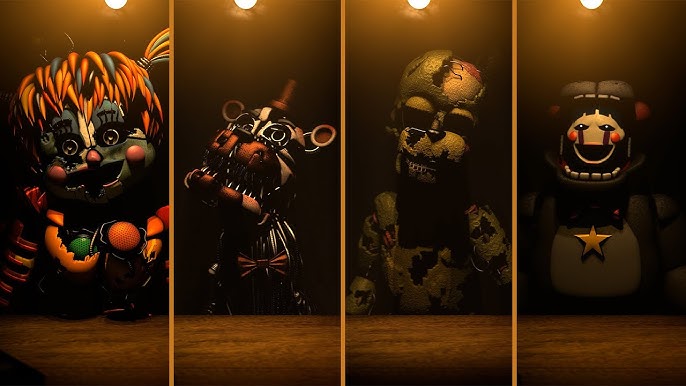
- Unique animatronic behaviors — Each character responds to different defensive tools and requires specific countermeasures, preventing any single strategy from working across all configurations
- Accessible to all skill levels — The configuration system genuinely accommodates total beginners and series veterans, making every run the player's own designed challenge
FNAF Free UCN Tips & Strategies
Beginner Tips
- Start with two or three animatronics at activity level 1–3 before expanding your roster. Learning each character's specific behavior in low-pressure conditions is far more efficient than discovering their patterns while already overwhelmed.
- Establish a consistent camera monitoring rotation before experimenting with other systems. If you don't know where your threats are, every other tool becomes reactive guesswork.
- Avoid activating multiple tools simultaneously in your first sessions — stacking sound, light, and trap deployments at once is harder to track than responding with one tool at a time.
Advanced Strategies
- Study each animatronic's specific behavioral pattern and which tools counter them most efficiently. Investing in the right unlocked support tools for your chosen roster — rather than generic upgrades — dramatically improves per-run survivability.
- In high-roster configurations, assign mental priority tiers to your animatronics based on how quickly they can reach the office. Respond to the fastest movers first, even if slower threats are more prominent on camera at that moment.
- Use the in-game economy strategically between sessions — unlock the global music box before running audio-sensitive animatronics at high activity levels, since it neutralizes the most demanding management requirement those characters impose.
What to Watch Out For
- Temperature and power neglect — Players focused on animatronic tracking often let environmental systems drift into dangerous ranges without noticing. Build temperature and power checks into your camera rotation rather than treating them as secondary.
- Over-investing in early unlocks — Spending currency on general tools before you understand which threats your preferred configurations generate leads to unlocks that don't address your actual weak points. Learn the roster first, then spend specifically.
FNAF Free UCN Elements Explained
Custom Animatronic Configuration
The configuration system is the architectural center of FNAF Free UCN and what gives the game its identity. Every animatronic in the roster can be toggled independently and assigned an activity level that determines how aggressively and frequently they move during the night. Setting an animatronic to zero removes them entirely; maximum activity makes them as relentless as the system allows. The real depth comes from combining characters whose behavioral patterns interact — some animatronics require active audio deterrence, others respond to light, others must be managed through trap placement. Running them simultaneously creates compound management demands that no single strategy resolves cleanly. The configuration menu is where every run is designed, and the skill of configuration design — knowing which character combinations create which pressure profiles — is itself something that develops with experience.
Multi-System Management
Surviving a UCN shift means maintaining awareness across more simultaneous systems than any other FNAF entry demands. Cameras track animatronic positions. Temperature must be kept within safe limits. Power consumption must be managed to prevent outages that disable other systems. Sound tools deter audio-sensitive animatronics. Light controls manage a separate category of threats. Traps provide positional slow-down options. The in-game economy ties currency to run performance and unlocks additional support tools on top of these baseline systems. None of these systems operate independently — a power outage affects cameras, which undermines sound tool targeting, which allows audio-sensitive animatronics to advance. Understanding the dependency chain between systems is the insight that separates consistent survivors from players who manage each system in isolation.
In-Game Economy & Support Tools
Between runs, FNAF Free UCN offers an economy layer that converts shift performance into unlockable strategic advantages. Currency earned during nights is spent on support tools — global music control, power generators, and other options that address specific management challenges within the game. This system adds a meta-progression dimension that gives each run value beyond the immediate survival outcome: even a failed night earns currency that moves you closer to a tool that will make the next attempt more manageable. The most impactful unlocks are those that address the specific bottlenecks of your preferred configurations — a player who consistently runs audio-sensitive characters benefits enormously from global music control, while a power-management-focused configuration might prioritize the generator first.
FNAF Free UCN Frequently Asked Questions
Q: How do I set up a custom animatronic configuration?
A: Open the character selection menu before starting a night. Each animatronic in the roster is listed individually — select the ones you want active and use the activity slider to set their aggression level. Confirm your configuration and begin the shift. You can modify your roster and activity levels before each new night, so don't hesitate to adjust based on what the previous run taught you.
Q: What should I do if my power runs out mid-night?
A: A power outage disables connected systems and removes your ability to use most defensive tools until power is restored. Treat this as a critical emergency — restore power as quickly as possible and accept that some animatronics may advance during the recovery window. Long-term, identify which actions were consuming power unnecessarily in that run and reduce their frequency going forward.
Q: Is FNAF Free UCN compatible with standard browsers?
A: The game is designed for modern desktop browsers. Use an updated browser with hardware acceleration enabled for the most stable experience, particularly during nights with large active rosters that place heavier demands on the system.
Q: How do I earn and spend in-game currency?
A: Currency is earned by surviving nights — longer survival and more complex configurations generate higher currency rewards. Between sessions, access the support tool shop and invest earned currency in unlockables that address your current strategic weak points. Spend based on your specific roster rather than unlocking tools generically.
Q: How do I unlock the harder challenge presets?
A: All animatronics and activity levels are available from the start with no prerequisite unlocks required. The harder experiences in UCN are self-constructed — build your own maximum-difficulty configuration by selecting a large roster at high activity levels. If the game includes preset challenge configurations, completing lower-difficulty presets typically unlocks access to the next tier.
Games Like FNAF Free UCN You Might Enjoy
If you like FNAF Free UCN, you might also enjoy:
- FNAF Shooter - it shares the same animatronic pressure, survival timing, and quick browser play rhythm.
- FNAF Strike - it shares the same animatronic pressure, survival timing, and quick browser play rhythm.
- FNAF Shooter 2 - it shares the same animatronic pressure, survival timing, and quick browser play rhythm.