

Bloxd.io Overview
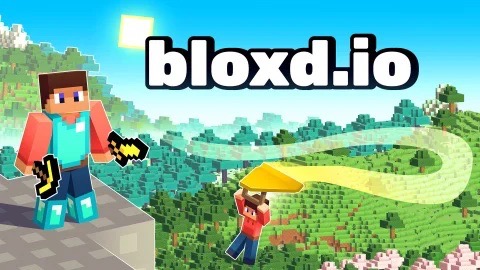
Bloxd.io is a browser-based multiplayer sandbox game that combines block-style building with fast-paced parkour challenges and open-world multiplayer environments. It runs entirely in the browser with no download required, and its multiple game modes make it playable across a wide range of skill levels and play style preferences.
The game's core appeal is its versatility. Players who want a competitive, skill-based challenge can jump into parkour modes where precision jumping and movement timing determine how far you get. Players who prefer a creative, social experience can switch to building and sandbox modes where the objective is constructing structures, exploring community-made maps, and interacting with other players in real time. Both experiences share the same blocky aesthetic and run within the same platform, meaning you can move between modes in a single session without losing access to your progress.
Bloxd.io suits players who grew up with block-building games and want a browser-accessible alternative that doesn't require installation, as well as players looking for a quick parkour skill challenge with a competitive element. The combination of movement-based skill challenges and creative sandbox environments in a single free browser title gives Bloxd.io a broader appeal than games that commit to either genre alone.
Key Details
Genre: Sandbox / Parkour / Multiplayer
Difficulty Level: Variable (mode-dependent)
Average Play Time: 15–30 minutes per session
Best For: Creative players, parkour fans, multiplayer sandbox enthusiasts
How to Play Bloxd.io
Getting Started
- Select a game mode from the main menu — Classic Survival, Parkour, Creative, or available multiplayer options.
- In parkour modes, focus on precise jumps and movement timing across platforms.
- In building modes, use the block placement interface to construct freely or follow community map objectives.
- Interact with other players in real-time multiplayer environments through movement and building.
- Explore different modes across sessions to find the experience that fits your playstyle.
Basic Controls
Move: WASD
Jump: Spacebar
Look / camera: Mouse
Place / break block: Left / Right Mouse Button
Inventory / menu: E or Tab
Sprint: Shift (mode-dependent)
Objective: Objectives vary by mode. In parkour, reach the end of the course without falling. In survival and creative modes, build, explore, and interact with the world and other players. In multiplayer challenges, compete or cooperate based on the mode's specific rules.
Bloxd.io Features & Highlights
- Multiple game modes — parkour, creative, survival, and multiplayer challenge modes in a single browser platform
- Real-time multiplayer — interact, build, and compete with other players without needing accounts or downloads
- Custom and community maps — explore player-created environments across parkour and creative modes
- Skill-based parkour — precision movement challenges that improve with practice across increasingly complex course designs
- No download required — runs directly in browser on desktop and mobile devices
Bloxd.io Tips & Strategies
Beginner Tips
- Start in a lower-difficulty parkour course to learn the movement feel before attempting community or advanced maps.
- In building modes, experiment with block placement before worrying about structure scale — understanding how blocks connect is more useful than starting with a complex plan.
- Use the camera freely to scout ahead in parkour courses — seeing the next few platforms before committing to a jump significantly reduces blind falls.
Advanced Strategies
- In competitive parkour modes, learn which jumps have tight timing windows versus which ones have margin for error — conserve focus for the difficult transitions rather than treating every jump as equally demanding.
- In creative and survival modes, vertical building (towers, elevated platforms) often gives better vantage points for navigation and interaction with other players.
- Scout community maps before running them competitively — knowing the layout removes the exploration variable and lets you focus on execution speed.
What to Watch Out For
- Misreading block gaps in parkour. Blocky visual style can make gaps look smaller or larger than they are — when in doubt on an unfamiliar course, err toward caution and observe the gap from different angles before jumping.
- Switching modes mid-session without adjusting expectations. Parkour and creative modes require completely different mental states — give yourself a moment to shift focus between them.
Bloxd.io Elements Explained
Parkour Mode: Bloxd.io's parkour modes are built around precision movement across block-based platforms, elevated structures, and challenging gap sequences. Success depends on jump timing, approach angle, and understanding how the game's movement physics handle different block configurations — edges, corners, and narrow platforms each behave slightly differently. Parkour courses range from beginner-friendly flat sequences to complex multi-jump routes with minimal landing space. Community-created parkour maps extend the available challenge pool significantly beyond the core set, and some community maps rival or exceed the difficulty of officially designed courses. In competitive parkour modes, completion time becomes the metric that separates players who know the route from players who are still exploring it.
Building and Creative Modes: Creative and sandbox modes give players access to block placement tools in open environments where the objective is defined by the player rather than the game. Buildings can be functional (walls, towers, platforms for navigation) or purely aesthetic. Multiplayer creative environments allow real-time interaction with other players — watching what others build, contributing to shared structures, or exploring player-made maps together. The block-based visual system makes structural logic intuitive: anything that looks like it should stand up generally does, and any gap in a platform is a real gap. Community-made maps in creative mode span a wide range of themes and design complexity, from simple obstacle environments to elaborate architectural constructions.
Multiplayer and Social Layer: Bloxd.io's multiplayer functionality runs through the same browser session without requiring separate account registration. Players enter shared world instances across all modes, meaning parkour courses and creative environments both have other players present. This social layer changes both modes meaningfully — parkour becomes implicitly competitive when other players are visible on the same course, and creative environments become collaborative when building alongside others. The live multiplayer element is one of Bloxd.io's primary differentiators from single-player browser sandbox games, providing the social context that makes its relatively simple block mechanics more engaging than they would be in isolation.
Bloxd.io Frequently Asked Questions
Q: How do I switch between game modes?
A: Return to the main menu and select a different mode from the available options. Your position in the current mode is not saved when switching — complete or note your progress before changing modes.
Q: What should I do if I fall off a parkour course?
A: The game will return you to the course start or most recent checkpoint (if checkpoints are enabled in the specific map). Use the fall as an opportunity to observe the platform layout from below before retrying the jump.
Q: Is Bloxd.io compatible with mobile devices?
A: Yes — the game runs in browser on desktop and mobile. Keyboard controls work best on desktop; mobile play relies on touch controls which may vary in precision for parkour modes.
Q: Is Bloxd.io free to play?
A: Yes. Bloxd.io is free to play directly in browser with no download or account required to access core game modes.
Q: Can I play community-created maps?
A: Yes. Community maps are accessible from within the relevant mode's map selection. Parkour and creative modes both have community content available alongside officially designed environments.
Games Like Bloxd.io You Might Enjoy
If you like Bloxd.io, you might also enjoy:
- Dashmetry - it shares the same browser horror tension, quick decision-making, and replay-friendly pressure.
- FrontWars.io - it shares the same browser horror tension, quick decision-making, and replay-friendly pressure.
- Block Blast - it shares the same browser horror tension, quick decision-making, and replay-friendly pressure.