











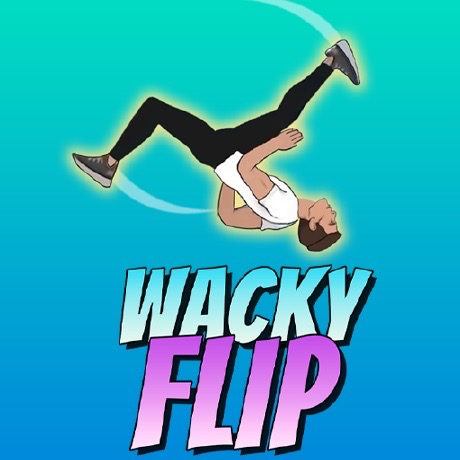
Wacky Flip Overview
Wacky Flip is a ragdoll physics stunt game where you launch yourself off rooftops and platforms, spin through the air, and attempt to stick landings that are entirely a function of your timing. Every clean landing feels earned. Every wipeout — and there will be many — produces a physics-driven collapse that is reliably entertaining in its own right. The game is designed so that failure never feels like wasted time.
The core loop is four steps: hold to charge your jump power, release to launch, click mid-air to start rotating, click again to stabilize and land. The gap between the third and fourth click — how long you let the rotation run before locking it in — determines everything. Too early and you under-rotate, landing face-first. Too late and you over-rotate, tumbling past your feet. Finding that window is the skill Wacky Flip teaches, and it keeps changing as you unlock new platforms at different heights and distances.
What keeps the game interesting beyond the basic flip is the escalating stunt type system. Pike, Layout, and Scissor flips unlock as you advance through stunt zones, each requiring different rotation timing and adding new wrinkles to the charge-launch-rotate-land sequence that beginners don't encounter. The stunt zone progression also introduces new urban environments — rooftops, water towers, scaffolding — that change the optimal charge level and require players to recalibrate the mechanics they've built up in previous zones.
Key Details
Genre: Ragdoll Physics / Stunt
Difficulty Level: Medium (escalates per stunt zone)
Average Play Time: 10–20 minutes per session
Best For: Casual players, fans of physics games, anyone who enjoys skill-based timing challenges
How to Play Wacky Flip
Getting Started
- Select a stunt zone and approach your launch platform.
- Hold the left mouse button to charge jump power — the longer you hold, the higher and farther you launch.
- Release to jump into the air.
- Click mid-air to begin your flip rotation.
- Click again when the rotation is close to landing position to stabilize and stick the landing.
Basic Controls
Charge jump: Hold Left Mouse Button
Launch: Release Left Mouse Button
Begin rotation: Click (mid-air)
Stabilize / land: Click (second time, mid-air)
Objective: Stick clean landings by timing your rotation stabilization correctly. Scores are based on landing quality. Accumulate score to unlock new stunt zones and flip types. Wipeouts don't end the game — retry immediately and keep building.
Wacky Flip Features & Highlights
- Four-phase flip mechanic — charge, launch, rotate, stabilize; each phase has independent skill depth that compounds as you improve
- Ragdoll wipeout physics — failed landings produce unique, physically accurate collapse animations that make retrying feel entertaining rather than punishing
- Progressive stunt types — Pike, Layout, and Scissor flips unlock as you advance, adding rotation timing variety beyond the basic flip
- Stunt zone progression — new urban environments (rooftops, water towers, scaffolding) require recalibrating charge and rotation timing across different heights
- Skill-based scoring — landing quality determines score, rewarding consistent technique over lucky attempts
Wacky Flip Tips & Strategies
Beginner Tips
- Match your charge level to the platform height before worrying about rotation timing. Consistent charge removes one variable from the landing equation, leaving only the rotation window to manage.
- Stabilize slightly earlier than feels natural. Your character carries momentum into the landing even after stabilization triggers — clicking a fraction early accounts for that carry and produces cleaner results than waiting for perfect visual alignment.
- On any new stunt zone, intentionally over- and under-rotate your first few attempts. This reveals the rotation speed and landing window for that height faster than cautious tries.
Advanced Strategies
- Avoid maximum charge on tight platform targets. More air time from high charge gives more rotation opportunity, but also a longer fall with less margin for landing angle correction. Moderate charge with controlled rotation beats maximum charge on precision targets.
- As you unlock more complex flip types, treat each new flip as a new timing calibration — Pike and Scissor flips have different rotation speeds than a standard flip even at the same charge level.
- Use the ragdoll wipeout as feedback. The specific way your character collapses tells you whether you over- or under-rotated, which is more accurate than trying to judge mid-air.
What to Watch Out For
- Undercharging on tall platforms. Low charge produces flat, low arcs with insufficient air time — you'll run out of rotation window before you complete the flip.
- Carryover assumptions between stunt zones. A charge level that works perfectly in one zone will be wrong in the next if the platform heights differ. Always recalibrate on the first few attempts in a new environment.
Wacky Flip Elements Explained
Power Charge and Launch Angle System: The hold-to-charge mechanic is the first of two timing skills Wacky Flip demands. Holding longer increases both jump height and distance — more air time, more rotation opportunity, but also a longer fall with smaller landing angle margin. Undercharging produces low, flat arcs where the flip barely has room to complete. Overcharging sends the ragdoll so high that even a precise rotation timing can't reliably control the landing angle by the time the character comes down. The optimal charge for any platform is somewhere in the middle, and finding that level for each new height is the first task in each stunt zone. Experienced players develop a consistent charge habit per platform type, which reduces the total number of variables they're managing simultaneously in the air.
Rotation Timing Window: The rotation timing window — the gap between the mid-air click that starts the flip and the second click that stabilizes it — is the core skill expression of Wacky Flip. Too short a window and the flip under-rotates, landing with the character leaning forward. Too long and it over-rotates, tumbling past landing position. The correct window varies based on flip type (standard, Pike, Layout, Scissor each have different rotation speeds) and charge level (more air time from higher charge slightly extends the available window). The key nuance is that stabilization doesn't freeze the character instantly — momentum carries into the landing for a fraction of a second after the click. Compensating for that carry by stabilizing slightly early is the adjustment that separates consistent landers from players who are always slightly off.
Stunt Zone and Flip Type Progression: Wacky Flip structures its difficulty through two parallel progression systems. Stunt zones introduce new environments — each with distinct platform heights, approach distances, and landing pad sizes — that require players to recalibrate the charge and rotation habits built in earlier zones. A rooftop launch behaves differently from a water tower at twice the height, even if the flip type is the same. Alongside zone progression, advanced flip types (Pike, Layout, Scissor) unlock as players advance, each with different rotation mechanics that demand new timing calibration. This means experienced players who feel they've mastered the game face a genuine recalibration challenge when a new flip type enters the rotation — the control inputs are the same, but the timing window is different.
Wacky Flip Frequently Asked Questions
Q: How do I know when to click to start the rotation?
A: Click as soon as you feel you've reached peak height — approximately at the top of your arc. Clicking too early (on the way up) gives too much rotation time for most platforms. Clicking at or just past peak height gives you the rotation window most consistent with a clean landing.
Q: What should I do if I keep over-rotating?
A: Reduce your charge level slightly on the next attempt. More charge means more air time, which means the rotation runs longer before landing — over-rotation is often a charge problem before it's a timing problem.
Q: Is Wacky Flip compatible with mobile?
A: The game uses mouse click controls and runs in browser via HTML5. It works best on desktop with a mouse. Mobile touchscreen play may work depending on browser tap-event support.
Q: Can I save my stunt zone progress?
A: Progress and unlocked stunt zones save automatically in your browser. Clearing browser data will reset your advancement.
Q: What's the difference between Pike, Layout, and Scissor flips?
A: Each flip type has a distinct rotation speed and body position mechanic. Pike flips are generally the first unlocked and closest to the standard flip in timing. Layout and Scissor introduce different rotation arcs that require relearning the stabilization timing even at familiar charge levels. Treat each new flip type as a new calibration exercise rather than assuming the timing from your previous flip type carries over.
Games Like Wacky Flip You Might Enjoy
If you like Wacky Flip, you might also enjoy:
- Dashmetry - it also focuses on finding routes, solving pressure-heavy problems, and escaping before danger closes in.
- FrontWars.io - it shares a story-driven horror structure where atmosphere and choices matter as much as reflexes.
- Block Blast - it shares a story-driven horror structure where atmosphere and choices matter as much as reflexes.