



Five Nights at Freddy's Overview
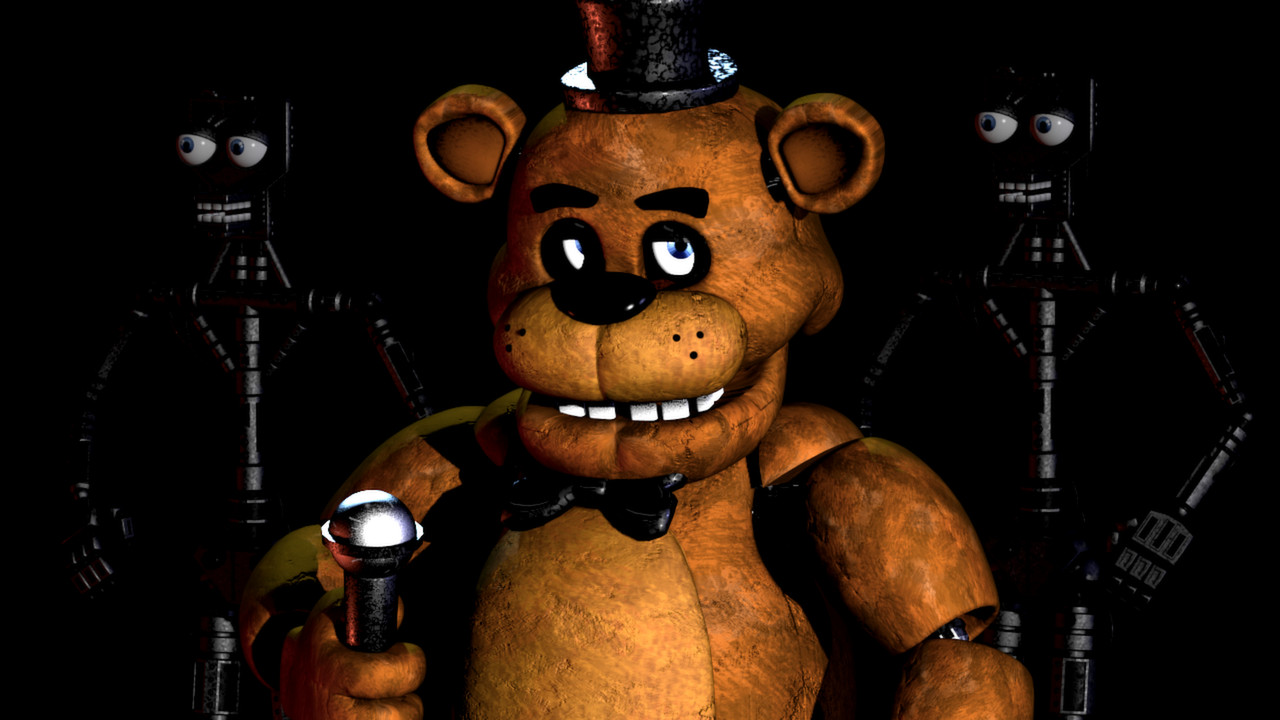
Step into the terrifying world of Freddy Fazbear's Pizza, where a seemingly innocent family restaurant hides a deadly secret. You've just taken a job as the night security guard — a decision you may soon regret. During the day, Freddy and his animatronic bandmates entertain children with songs and laughter. But when the clock strikes midnight, their friendly faces twist into something far more sinister, and you become their target.
Trapped in a tiny security office with nothing but a bank of cameras, two closeable doors, and a dangerously limited power supply, you must outsmart a cast of murderous robots to survive until 6 AM. Five Nights at Freddy's delivers relentless psychological tension with every passing second. Unlike action games where you can fight back, here your only weapons are awareness, patience, and nerve. One wrong decision — one wasted second of power — can plunge you into darkness and straight into Freddy's clutches.
What makes this game special is how much dread it generates from so little. The cramped office, the flickering cameras, the distant sound of footsteps in the hall — every element is designed to make you feel hunted. Each of the five nights ratchets up the difficulty until the animatronics are sprinting toward your door. It's a masterpiece of minimalist horror that has spawned an entire franchise, and it all starts with one terrifying shift.
Key Details
- Genre: Survival Horror / Strategy
- Difficulty Level: Variable (Easy on Night 1, Hard by Night 5)
- Average Play Time: 10–20 minutes per night attempt
- Best For: Horror fans, strategy players, thrill-seekers aged 13+
How to Play Five Nights at Freddy's
Getting Started
1. Begin your shift at 12:00 AM and monitor the security cameras to track animatronic movement. 2. Use the hallway lights on both sides of your office to check for animatronics just outside your doors. 3. Close the doors immediately if you spot an animatronic in the hallway — then wait for it to leave before reopening. 4. Balance your actions carefully — every camera check, light flick, and door closure drains your limited power supply. 5. Survive until the clock reaches 6:00 AM to complete the night.
Basic Controls
- Mouse: Click camera feeds to switch views; click door and light buttons on the sides of the screen
- Monitor Button: Toggle the camera panel open and closed
- Left/Right Light Buttons: Flash the hallway lights to check blind spots
- Left/Right Door Buttons: Close or open the security doors
Objective: Survive from 12:00 AM to 6:00 AM each night without running out of power or letting an animatronic into your office. Complete all five nights to finish the game.
Five Nights at Freddy's Features & Highlights
- Unique power management system — every action costs electricity, forcing tense resource decisions every second
- Four distinct animatronic AI behaviors — Freddy, Bonnie, Chica, and Foxy each hunt using different patterns you must learn
- Escalating difficulty over five nights — the game starts manageable and becomes almost impossibly stressful by Night 5
- Minimalist horror design — no weapons, no combat; pure psychological tension built from cameras and darkness
- Hidden lore and secret content — cryptic calls from a previous guard and hidden details reward players who look carefully
Five Nights at Freddy's Tips & Strategies
Beginner Tips
- Check the Show Stage camera first each night — Freddy stays there longest, so his absence is your early warning signal.
- Don't keep the camera monitor open continuously; toggle it closed to listen for sounds that indicate an animatronic is at your door.
- Avoid keeping doors closed longer than necessary — they drain power fast and you'll need it for later in the night.
Advanced Strategies
- Foxy operates differently from the others — check Pirate Cove (Cam 1C) regularly to slow his advance; neglecting that camera causes him to sprint straight to your door.
- Prioritize the right-side door over the left — Bonnie approaches from the left but Chica and Foxy tend to converge on the right, making that side more dangerous.
- On Night 5, adopt a strict rhythm: quick camera sweep, check both lights, close any occupied doors briefly, then repeat — deviating wastes power.
What to Watch Out For
- Never ignore Pirate Cove. Foxy builds up energy every time you skip checking him and will run down the left hall without warning — always include Cam 1C in your rotation.
- Don't burn power early. Many players panic-close doors in the first few hours and run out of electricity before 4 AM, leaving themselves defenseless for the most dangerous part of the night.
Five Nights at Freddy's Elements Explained
The Power System: Your office runs on a finite power supply that ticks down throughout the night. Every active system draws from this pool — the camera monitor, the hallway lights, and especially the security doors. Keeping a door shut costs significantly more power per second than any other action, so doors should be used only as a last resort when an animatronic is confirmed in the hallway. If power runs out before 6 AM, all systems go offline, the office falls dark, and Freddy will play a short musical sequence before launching his attack. Managing power is the central challenge of the game: you need information (cameras and lights) to track threats, but gathering that information costs the same resource you need to stop those threats. Finding the balance between knowledge and conservation is what separates survivors from victims.
The Camera System: Sixteen security cameras are spread throughout Freddy Fazbear's Pizza, covering the stage, backstage areas, dining room, hallways, bathrooms, kitchen, and supply closets. Pulling up the monitor lets you click through these feeds to track where each animatronic is located. However, the camera system has blind spots — most critically, the hallways immediately outside your two doors cannot be monitored by camera, only by the hallway lights. Animatronics can also move during the brief moments between your checks, meaning the camera system gives you information that is always slightly out of date. Using cameras efficiently — spending only a second or two per feed in a disciplined rotation — is essential to staying informed without burning through your power budget.
Animatronic Behavior: Each of the four animatronics uses a distinct movement pattern that you must learn to manage simultaneously. Bonnie is typically the first to become active and approaches from the left hallway. Chica moves through the right side and kitchen. Foxy stays hidden in Pirate Cove and launches a sprint attack if you neglect that camera. Freddy is the most patient, hanging back on the stage until the later hours before making his move — but by Night 5 he becomes the most dangerous of all. Each animatronic responds differently to your behavior: Foxy is deterred by frequent camera checks, while others require door management. Recognizing which threat is closest and responding in the correct order is the key skill this game demands.
Five Nights at Freddy's Frequently Asked Questions
Q: How do I check if something is at my door?
A: Click the light button on either the left or right side of the screen (not the camera button). This flashes the hallway outside that door. If an animatronic is standing there, close the door immediately.
Q: What should I do if I run low on power before 6 AM?
A: Stop checking cameras entirely and keep both doors closed only when you hear something outside. Turn off lights when not actively checking. Unfortunately, very low power late in the night is usually fatal — prevention is better than recovery.
Q: Is this game compatible with mobile browsers?
A: Five Nights at Freddy's plays best on desktop browsers. Mobile play may result in control issues due to the game's mouse-based interface.
Q: Can I save my progress?
A: The game automatically saves your completed nights. If you survive to 6 AM, the next night unlocks and your progress is retained between sessions.
Q: How do I unlock Night 6 and the Custom Night?
A: Complete all five main nights to unlock Night 6, an extra challenge. Completing Night 6 unlocks the Custom Night (Night 7), where you can manually set each animatronic's AI difficulty from 0 to 20.
Games Like Five Nights at Freddy's You Might Enjoy
If you like Five Nights at Freddy's, you might also enjoy:
- Five Nights at Freddy's 2 - it shares the same animatronic pressure, survival timing, and quick browser play rhythm.
- Five Nights at Freddy's 3 - it shares the same animatronic pressure, survival timing, and quick browser play rhythm.
- Five Nights at Freddy's 4 - it shares the same animatronic pressure, survival timing, and quick browser play rhythm.