

A Blocky Office Survival Game
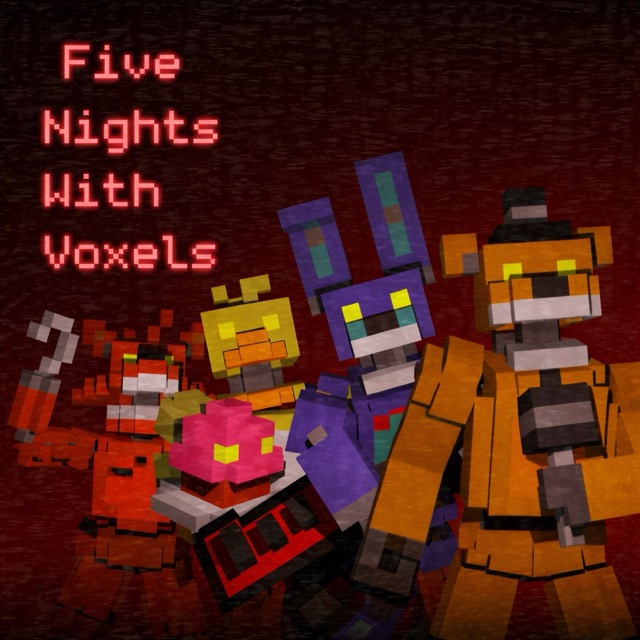
Five Nights With Voxels is a fan-made take on the first Five Nights at Freddy's, with characters and rooms built in a voxel style. You watch the facility from a security office and use cameras, doors and lights to keep the moving animatronics away. Each action draws on the electricity needed for the rest of the shift.
Check the Cameras and Entrances
Click the camera icon to open surveillance and inspect the available views. Track a character's position, then return to the office and check the entrance it may approach. Drag the mouse to turn the view and use the on-screen controls to operate the door or light.
The cameras provide information; a door supplies the physical defense. When a threat reaches an entrance, close the relevant door. Once the approach is clear, open it again and check the other side. Leaving defenses active for a threat that has already gone consumes power that may be needed later.
Manage the Battery
Doors, lights and monitoring all compete for the same limited supply. Make each light check answer a question about an entrance, then turn your attention back to the camera or the other side. A quick, consistent routine helps you avoid both watching one feed for too long and reacting without knowing where a character is.
Controls
| Input | Action |
|---|---|
| Drag mouse | Turn the view |
| Click camera icon | Open surveillance |
| Click door or light icon | Operate the corresponding control |
Practical Tips
- Learn the blocky silhouettes of the characters on the camera feeds.
- Check both approaches after responding to one visitor.
- Reopen a clear entrance to conserve electricity.
- Watch the remaining battery while deciding how long to use each tool.
Is This a Building Game?
No. The voxel art gives the characters and rooms a blocky appearance, but the objective is to survive the office shift using surveillance and defenses.