


About Three Nights at Thomas's 3D
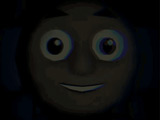
Three Nights at Thomas's 3D places you in a garage with a hallway light, a door and systems that need attention. Your goal is to survive until dawn across three increasingly difficult nights. The door and light cannot operate together, so defending the entrance involves a sequence rather than a single button press.
Check the Hallway and Close the Door
Use the white button to light the hallway and check the approach. If you need to shut the entrance, turn the light off first, then use the red button. The barrier will not move while the light is active. Practise that change of controls before an urgent visit so you know the order without hunting for the buttons.
Short checks let you see the hallway without leaving the lamp running continuously. After a door response, return to your watch and prepare for the next approach.
Keep Fuel and Energy Available
The lamp consumes fuel. Add coal to the stove to replenish it when needed, and keep the separate energy gauge in view. When energy drops, interact with the panel to restore it. Fuel and energy are different concerns: refilling the stove does not replace checking the panel.
A useful routine alternates between the hallway and these supplies. Deal with an immediate approach first, then use a quiet interval to inspect the gauges before another visitor arrives.
Controls
| Input | Action |
|---|---|
| Mouse | Look and use controls |
| WASD | Move |
| Left mouse button | Interact |
Practical Tips
- Identify the white light button and red door button before the first urgent encounter.
- Switch the light off before attempting to close the barrier.
- Check coal and energy separately between hallway visits.
Frequently Asked Questions
Why will the door not close?
The door cannot move while the hallway light is on. Turn the light off, then use the red door button.