







About Backrooms: 5 Nights
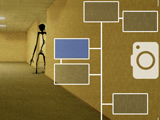
Backrooms: 5 Nights turns the familiar yellow corridors into a fixed-position survival shift. Entities move through the Backstage while you monitor them with a tablet. The tablet's flash can drive an intruder back, but both checking the screen and flashing use the same limited battery.
Monitor and Respond
Use the camera views to look for movement and identify an approaching entity. When the threat reaches the point where a response is needed, use the flash to push it away. Then return to watching for the next approach.
Observation and defence do different jobs. A camera check tells you where an intruder is; the flash is the response when that intruder needs to be driven back. Triggering the flash without a reason spends charge you may need later in the shift.
Make the Battery Last Until Morning
The objective is to survive from midnight until 6 a.m. across five nights. Later shifts place more pressure on your timing, so practise a short check-and-response routine early on. Open the tablet to answer a question about an approach, then close it instead of keeping it raised without a purpose.
Keeping track of the battery helps you decide how frequently to check while leaving enough reserve for a flash. If an entity appears, stay focused on locating it and responding at the right moment rather than repeatedly activating the tablet.
Controls
| Input | Action |
|---|---|
| Mouse | Operate the tablet and flash |
Practical Tips
- Identify which camera shows an approach before spending time cycling every view.
- Reserve flash use for an approaching threat.
- Keep enough battery for later in the shift rather than exhausting it early.
Frequently Asked Questions
Do the tablet and flash use separate batteries?
No. Both draw from the same limited battery, so camera checks and defensive flashes need to share the available charge.