
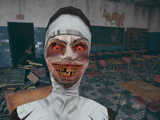



About Evil Nun Schools Out
Evil Nun Schools Out offers two ways to face its haunted setting. Escape mode focuses on searching for tools and avoiding the nun, while Shooter mode gives you weapons and a six-cross objective. Choose the mode first: the same room calls for a different response when you can fight back than when your priority is concealment.
Escape Mode: Search and Hide
In Escape mode, move through the rooms looking for keys, tools and clues that help you progress. Watch your route while searching, and use hiding places when the nun approaches. F is used to interact or hide, G drops an item and T leaves a hiding place.
Before entering a room, notice where you can retreat if the search is interrupted. When you have to hide, remember the object or doorway you were investigating so you can resume that task afterward. A discovered key is most useful when you also remember the locked route it might open.
Shooter Mode: Find the Crosses
Shooter mode changes the objective to finding six cursed crosses while dealing with monsters. Pick up a weapon, use the mouse buttons to aim and shoot, and reload with R. Search each area for the crosses as you clear a path, rather than focusing on the fight and overlooking the collection objective.
Use quiet moments to reload before moving through another doorway. If you leave an area during a fight, note which corners still need searching when you return.
Controls
| Input | Action |
|---|---|
| WASD / Mouse | Move / look |
| Ctrl | Crouch |
| F | Escape: interact / hide; Shooter: pick up an item |
| G / T in Escape | Drop an item / leave hiding |
| Left / right mouse button in Shooter | Shoot / aim |
| R in Shooter | Reload |
Practical Tips
- In Escape mode, learn how to leave hiding before using it in an urgent encounter.
- In Shooter mode, check the weapon and remaining search area between fights.
- Keep the active mode's objective in mind when deciding whether to avoid or confront a threat.
Frequently Asked Questions
What changes between the two modes?
Escape uses searching and concealment. Shooter adds aiming, firing and reloading while you look for six crosses.