

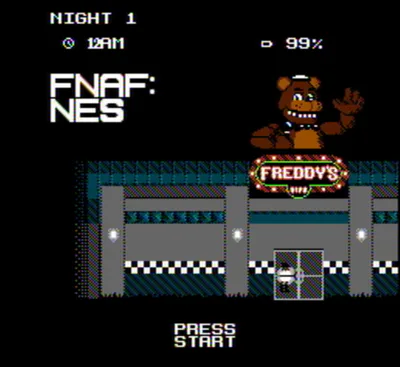


FNAF Unblocked Overview
Freddy Fazbear's Pizza is open for business — and you've just started your night shift. FNAF Unblocked brings the classic Five Nights at Freddy's experience to players who want to access it anywhere, without installation or barriers. The premise is instantly gripping: the same animatronic cast, the same cramped security office, the same terrifying power management — available and ready to play right now.
You sit alone in a small room at the back of the restaurant, surrounded by camera monitors and two doors you can seal shut if something gets too close. During the day, Freddy and his bandmates are beloved children's entertainers. After midnight, they become something else — autonomous, unpredictable, and hunting. Your only job is to watch, react, and survive until 6:00 AM. No combat, no escape routes, no help coming.
What makes this format so compelling is the purity of the tension it generates. Every resource decision matters. Every second spent checking a camera is a second the power meter ticks closer to empty. Every closed door buys you safety at a cost you may not be able to afford later. FNAF Unblocked preserves all of that brilliantly and delivers it without friction — no downloads, no account, just the game and the dark office and the things moving toward you. If you've never played and want to understand why this franchise captured the world's attention, or if you're a returning player looking for a quick late-night run, this is exactly where to start.
Key Details
- Genre: Survival Horror / Strategy
- Difficulty Level: Variable (Night 1 is accessible; Night 5 is genuinely difficult)
- Average Play Time: 10–20 minutes per night attempt
- Best For: First-time players discovering the FNaF formula and returning players who want immediate, no-install access
How to Play FNAF Unblocked
Getting Started
1. Open the camera monitor at the start of your shift to establish where each animatronic is located — night one gives you time to learn the camera layout without serious threat. 2. Develop a camera rotation: cycle through the key rooms (starting stage, backstage, hallways) in a consistent order to maintain awareness of all active animatronics. 3. Use the hallway lights outside each door to check blind spots the cameras can't cover. 4. Close the door on either side immediately when you see an animatronic in the hallway — then reopen as soon as the threat has cleared to conserve power. 5. Survive until the in-game clock reaches 6:00 AM to complete the night.
Basic Controls
- Mouse: Click to navigate between camera feeds and activate office buttons
- Left/Right Door Buttons: Open or close the security doors on each side of the office
- Left/Right Light Buttons: Flash the hallway lights to check for animatronics outside the doors
- Monitor Panel: Toggle the camera feed open and closed
- Power Indicator: Displayed on screen — monitor it throughout the night
Objective: Use cameras, hallway lights, and security doors to prevent animatronics from entering your office. Manage your power supply carefully to keep all systems running until 6:00 AM.
FNAF Unblocked Features & Highlights
- Instant browser-based access — no download, installation, or account required; the full game experience loads and plays immediately
- Classic camera-and-door survival mechanics — the formula that defined a genre, presented without modification or compromise
- Four animatronics with distinct behaviors — Freddy, Bonnie, Chica, and Foxy each move and hunt differently, requiring separate defensive strategies
- Five nights of escalating difficulty — a natural difficulty curve from approachable tutorial to relentless pressure, with each night meaningfully harder than the last
- Power management as the central tension — every action costs electricity, creating a resource trade-off that keeps every decision consequential
FNAF Unblocked Tips & Strategies
Beginner Tips
- Use Night 1 to learn the camera layout, not to optimize. Move through every feed at least once and identify which rooms connect to which hallways — that spatial knowledge pays dividends on every subsequent night.
- Close doors only when an animatronic is confirmed in the adjacent hallway, not as a precaution. Precautionary door closures are the single fastest way to drain power and fail before dawn.
- Keep your camera sweeps short. A quick glance at each room is sufficient to track movement — lingering on any single feed wastes power and creates blind spots elsewhere.
Advanced Strategies
- Track Foxy separately from the rest. Foxy advances based on how often you check Pirate Cove (Camera 1C) — neglect that camera and he will sprint to your left door without warning, regardless of where the other animatronics are. Include Cam 1C in every sweep.
- On Nights 4 and 5, adopt a strict low-power protocol: minimize camera time, rely more heavily on hallway lights for close-range detection, and never hold a door shut longer than necessary to confirm the threat has passed.
- Listen for audio cues between camera checks. Specific sounds — footsteps, movement in the kitchen, Foxy's running sequence — provide information without the power cost of opening the monitor.
What to Watch Out For
- Never run the power to zero. At 0%, all systems shut off, the office goes dark, and Freddy attacks shortly after. Begin conserving aggressively when power drops below 25% — reduce camera usage, avoid lights unless necessary, and open doors immediately after threats pass.
- Don't neglect Pirate Cove. New players often skip Cam 1C because Foxy appears static for long stretches — but checking that camera regularly is what keeps him dormant. Once he starts running, there is no stopping him.
FNAF Unblocked Elements Explained
Power Management System: The electricity meter displayed in the lower corner of the screen represents your total remaining power for the night. It depletes at a baseline rate simply due to being in the office, and every active system accelerates that drain — the camera monitor, the hallway lights, and especially the security doors. Doors are the most expensive individual action in the game, draining power several times faster than the camera monitor. If the power hits zero before 6:00 AM, every system fails simultaneously: the cameras cut out, the doors open, the lights die, and a brief musical sequence from Freddy precedes a fatal jumpscare. Managing power is therefore not a secondary consideration but the central strategic challenge — you must gather enough information to track threats while spending as little power as possible doing so.
Security Camera Network: A network of cameras covers the main areas of Freddy Fazbear's Pizza, including the Show Stage, Backstage, Dining Area, Bathrooms, Kitchen, Supply Closet, and connecting hallways. Opening the monitor lets you click between feeds to track animatronic movement across the building. Critically, the hallways immediately adjacent to your two doors cannot be viewed by camera — they can only be checked using the hallway lights, which must be used separately. Because animatronics can move between your camera checks, the system always reflects slightly outdated information. The goal is to check frequently enough to catch movement before an animatronic disappears from camera range and appears in your blind spot.
Animatronic Behavior Patterns: Each of the four animatronics follows a distinct logic for movement and approach. Bonnie is typically the first to leave the stage and approaches through the left hallway — he's usually the most active threat on Nights 1 and 2. Chica moves through the right side, passing through the dining room and kitchen before approaching your right door. Foxy is unique: he watches from behind the curtain at Pirate Cove and builds aggression when that camera is neglected, eventually sprinting directly to your left door in a sequence you cannot intercept with a door closure unless you catch him in time. Freddy is the most patient — he tends to hold his position on the stage until late in the night or until power is low, at which point he becomes the most dangerous threat of all.
FNAF Unblocked Frequently Asked Questions
Q: How do I check if something is outside my door?
A: Click the light button on the left or right side of the screen to flash the hallway outside that door. If an animatronic is visible, close the door immediately. If the hallway is empty, no door closure is needed — leave it open to conserve power.
Q: What should I do when power gets very low?
A: Stop using cameras entirely and rely only on the hallway lights to detect immediate threats. Keep doors closed only as long as needed and reopen them the moment the threat clears. If power drops below 10%, you are unlikely to survive unless you are very close to 6:00 AM — focus entirely on listening for threats rather than spending power on systems.
Q: Why does Foxy keep attacking me even when I'm watching him?
A: Foxy requires regular checks of Pirate Cove (Camera 1C) specifically — not just awareness that he exists. Include Cam 1C in every camera rotation. If he is already mid-sprint (visible running in the hallway), close the left door immediately and hold it until the attack attempt ends.
Q: Can I save my progress between sessions?
A: FNAF Unblocked saves completed nights automatically. If you survive to 6:00 AM, that night is recorded and the next night unlocks for your next session.
Q: Is there content beyond Night 5?
A: Completing all five main nights unlocks Night 6, a harder bonus challenge. Finishing Night 6 unlocks the Custom Night, where each animatronic's individual activity level can be set from 0 to 20, allowing you to design your own difficulty configuration.
Games Like FNAF Unblocked You Might Enjoy
If you like FNAF Unblocked, you might also enjoy:
- FNAF Shooter - it shares the same animatronic pressure, survival timing, and quick browser play rhythm.
- FNAF Strike - it shares the same animatronic pressure, survival timing, and quick browser play rhythm.
- FNAF Shooter 2 - it shares the same animatronic pressure, survival timing, and quick browser play rhythm.